(Almost) Every format claims to be the best. So I took one photo, pushed it through all of them at different settings and put the results next to each other. Click any image to open it and zoom in.
First question: can your browser even show all of these? The browser support test tells you. Formats your browser can’t decode are replaced by a lossless copy of the decoded image here, marked as decoded preview. So you still see exactly what the format produces.
The test image
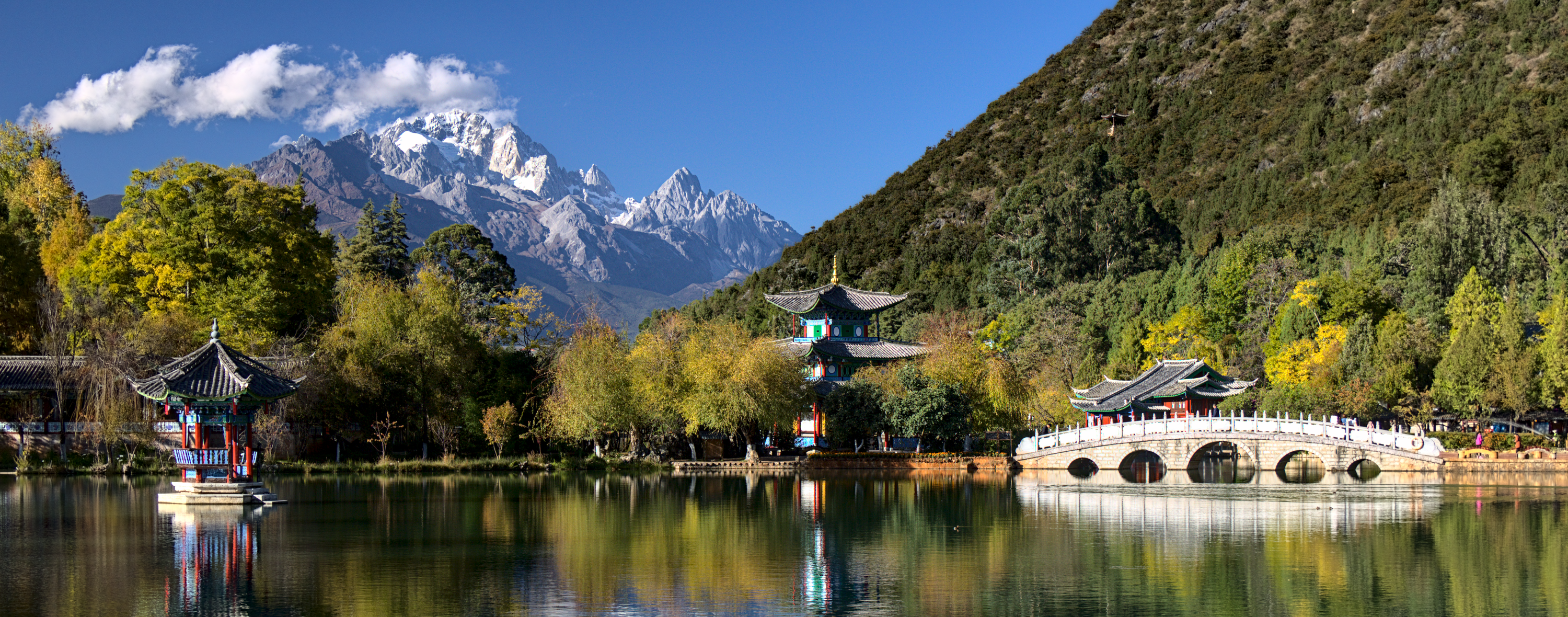
This is the Black Dragon Pool in Lijiang, with the Jade Dragon Snow Mountain in the background. Apart from being one of my favourite photos, it is also a pretty mean test image:
- Big blue sky gradients, which show banding very quickly.
- Colour detail in the water, the trees and the reflections, which gets washed out by chroma subsampling.
- Fine structure in the leaves, the rocks and the mountain, which is the first thing to get blurred or blocked away.
- Image
- 3000 × 1180 px, 8-bit sRGB, original PNG 6.53 MB
- Encoders
- libjxl 0.11.1, libavif 1.3.0, libheif 1.21.2, libwebp 1.5.0, libjpeg-turbo 2.1.5, openjpeg 2.5.4
- Generated
- 2026-09-23
The original was converted to 8-bit sRGB and scaled down, so every encoder gets the exact same input. All formats use 4:2:0 chroma subsampling where they have it, as is common on the web.
Compare them yourself
Pick any two versions, drag the handle to compare, and zoom in to see the pixels. The A and B buttons under every image below load it in here as well.
Same file size
This is the fairest comparison: every format gets the same budget of bytes, and the highest quality setting that still fits is used. The first row is a tight budget, where the differences are huge. The second is a more typical budget for a big photo on a website.
At most 130 KB (0.3 bits per pixel)
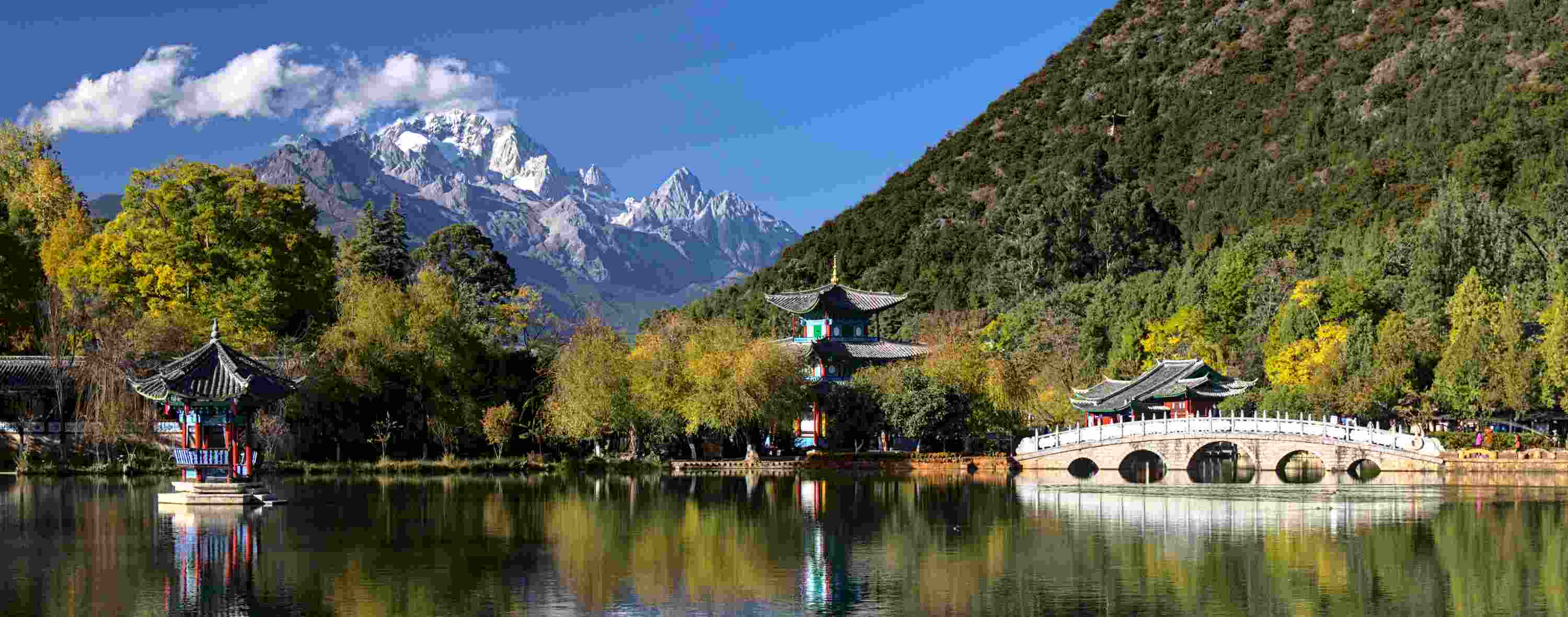 decoded previewJPEG q8 · 117 KB · 0.27 bpp
Your browser can't decode JPEG, this is a lossless copy of the decoded image.
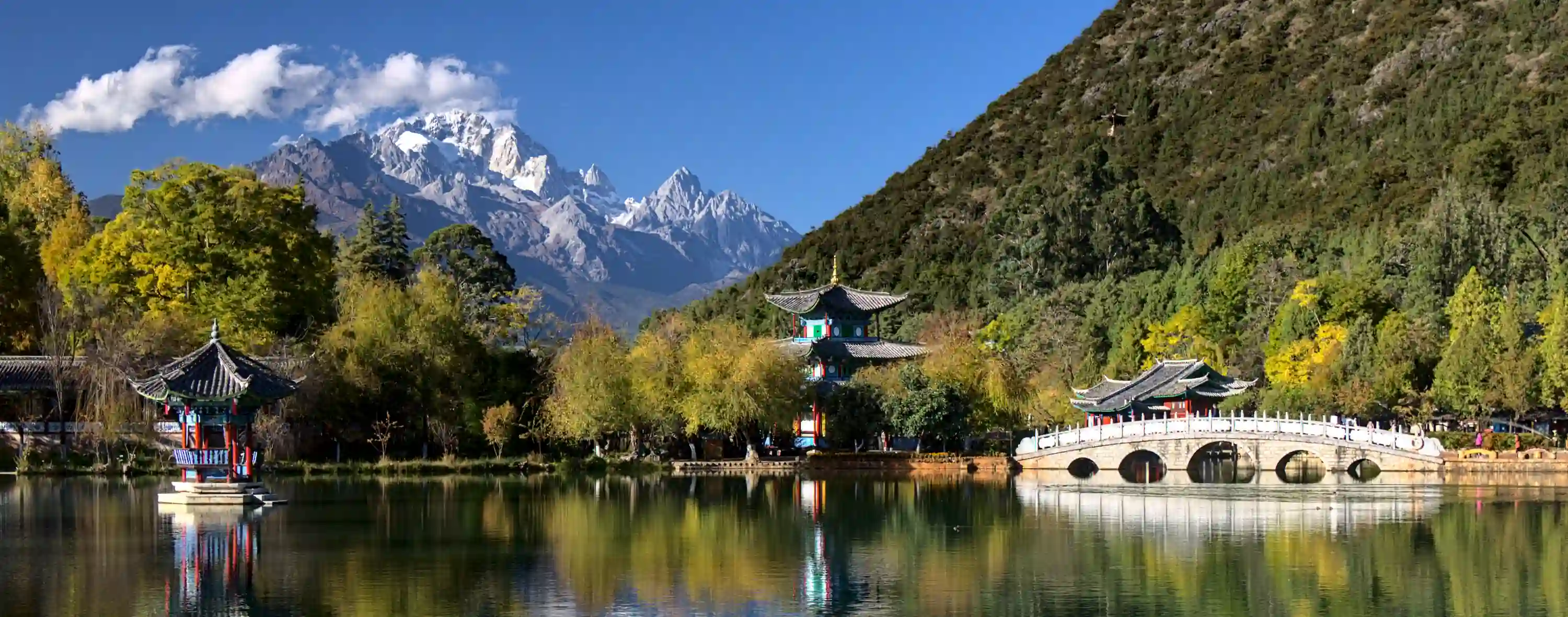 decoded previewWebP q5 · 128 KB · 0.30 bpp
Your browser can't decode WebP, this is a lossless copy of the decoded image.
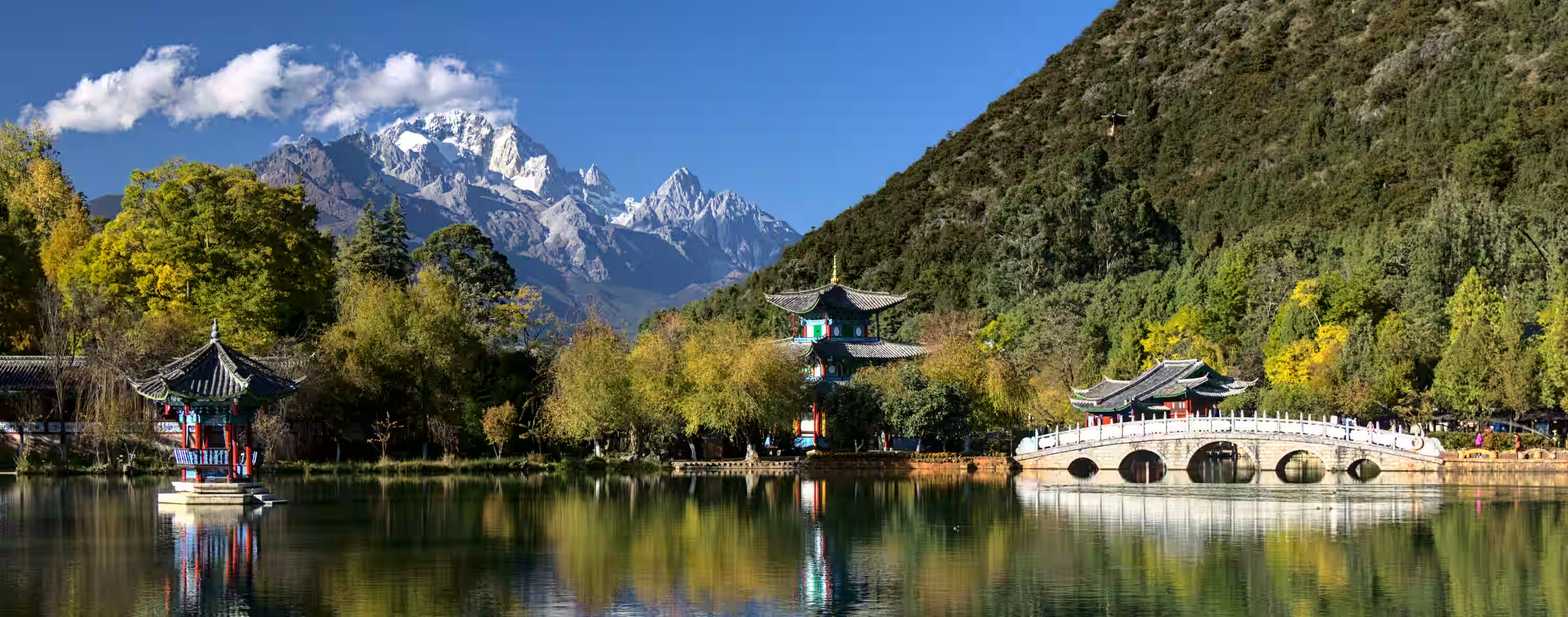 decoded previewAVIF q26 · 126 KB · 0.29 bpp
Your browser can't decode AVIF, this is a lossless copy of the decoded image.
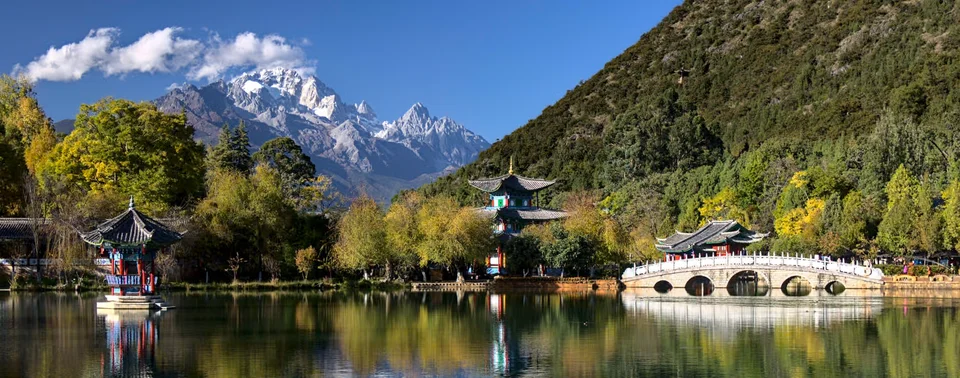 decoded previewJPEG XL q19 · 129 KB · 0.30 bpp
Your browser can't decode JPEG XL, this is a lossless copy of the decoded image.
 decoded previewHEIC q22 · 117 KB · 0.27 bpp
Your browser can't decode HEIC, this is a lossless copy of the decoded image.
 decoded previewJPEG 2000 1:80.00 · 129 KB · 0.30 bpp
Your browser can't decode JPEG 2000, this is a lossless copy of the decoded image.
At most 346 KB (0.8 bits per pixel)
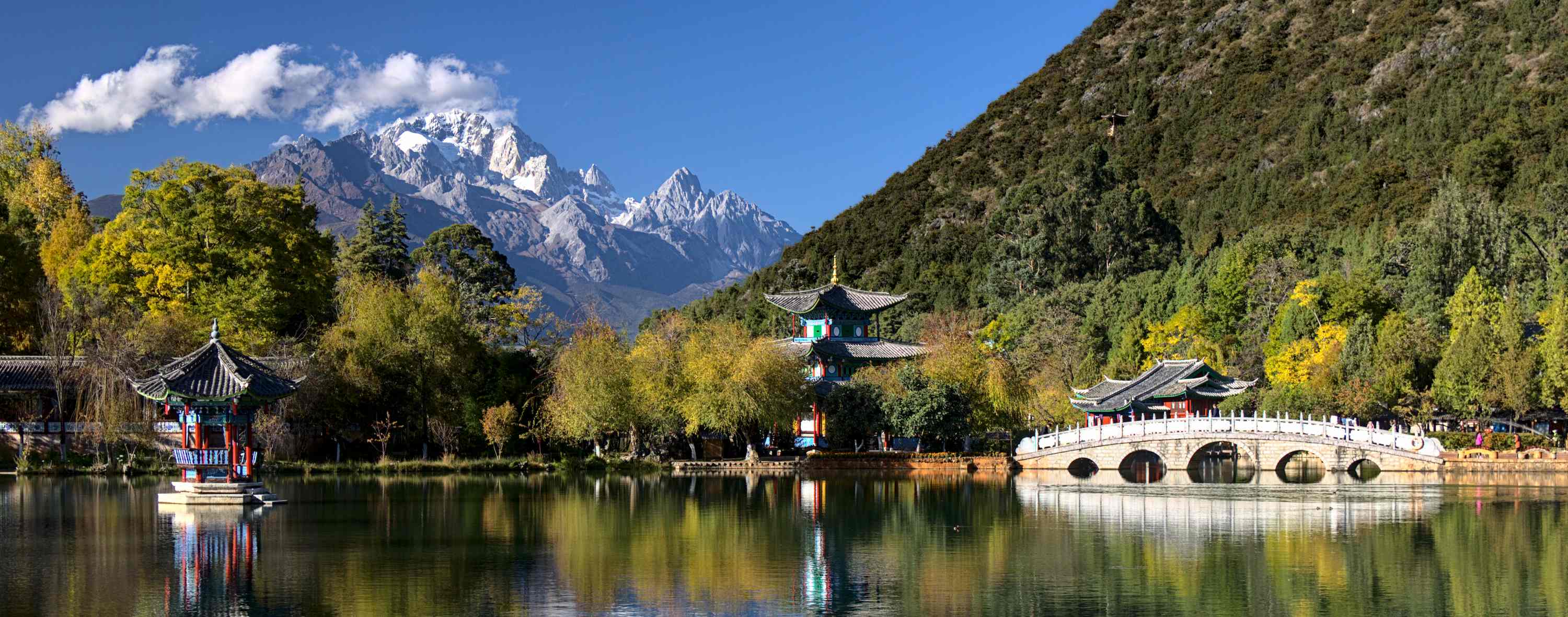 decoded previewJPEG q32 · 343 KB · 0.79 bpp
Your browser can't decode JPEG, this is a lossless copy of the decoded image.
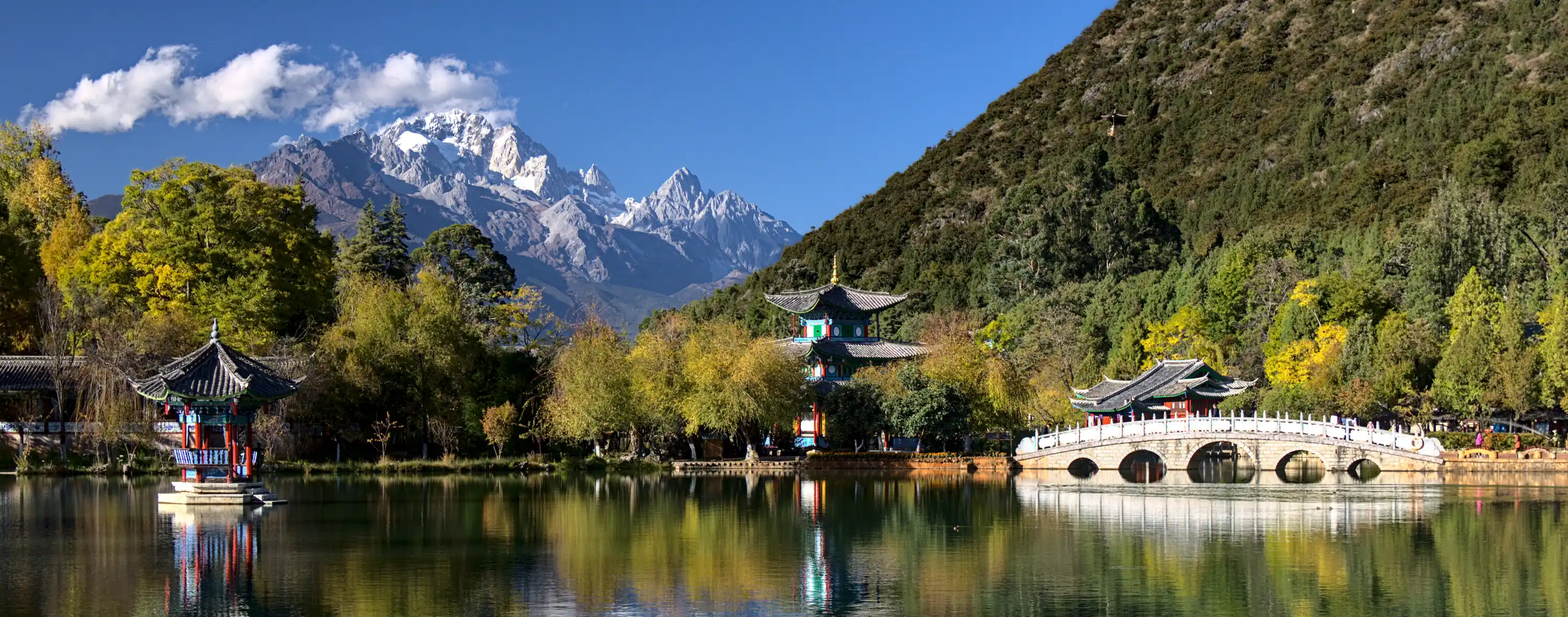 decoded previewWebP q41 · 345 KB · 0.80 bpp
Your browser can't decode WebP, this is a lossless copy of the decoded image.
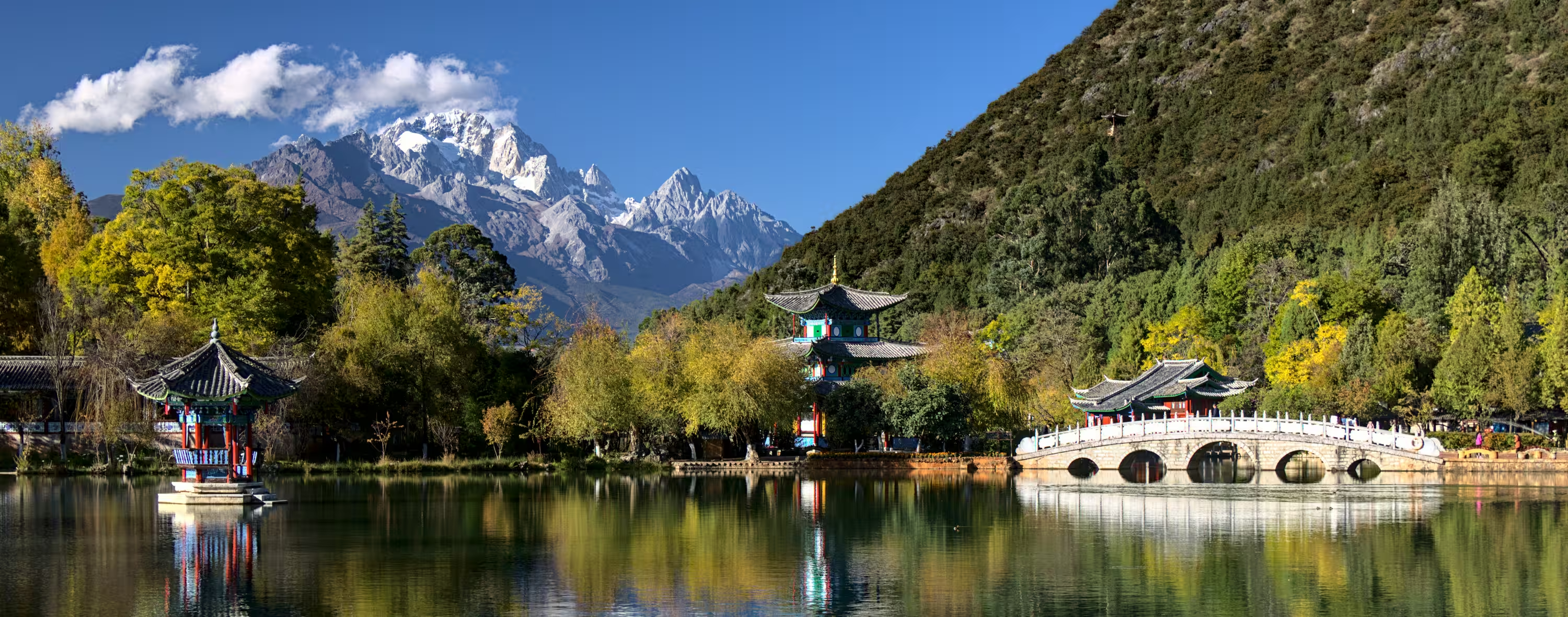 decoded previewAVIF q46 · 340 KB · 0.79 bpp
Your browser can't decode AVIF, this is a lossless copy of the decoded image.
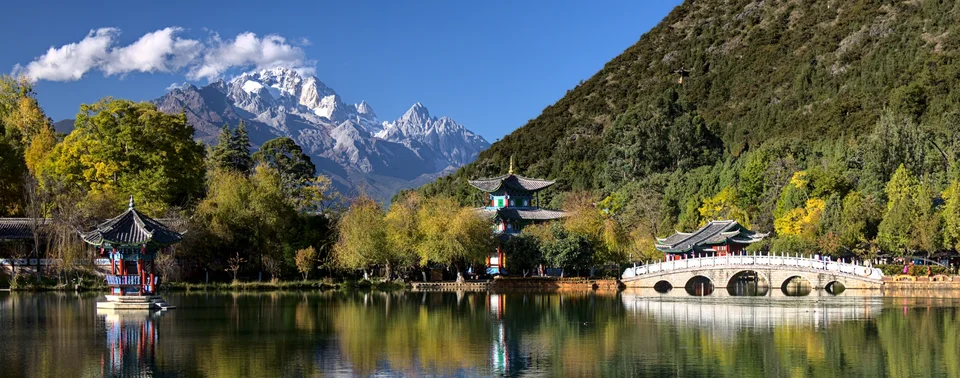 decoded previewJPEG XL q67 · 338 KB · 0.78 bpp
Your browser can't decode JPEG XL, this is a lossless copy of the decoded image.
 decoded previewHEIC q36 · 307 KB · 0.71 bpp
Your browser can't decode HEIC, this is a lossless copy of the decoded image.
 decoded previewJPEG 2000 1:30.00 · 346 KB · 0.80 bpp
Your browser can't decode JPEG 2000, this is a lossless copy of the decoded image.
The quality ladder
Each format from high to low quality. Note that the quality numbers are not comparable between formats. Every encoder maps “quality 50” to something different. Compare file sizes and what you see instead. JPEG 2000 has no quality setting at all, it gets a target compression ratio instead.
The percentage is the file size relative to the original PNG.
JPEG
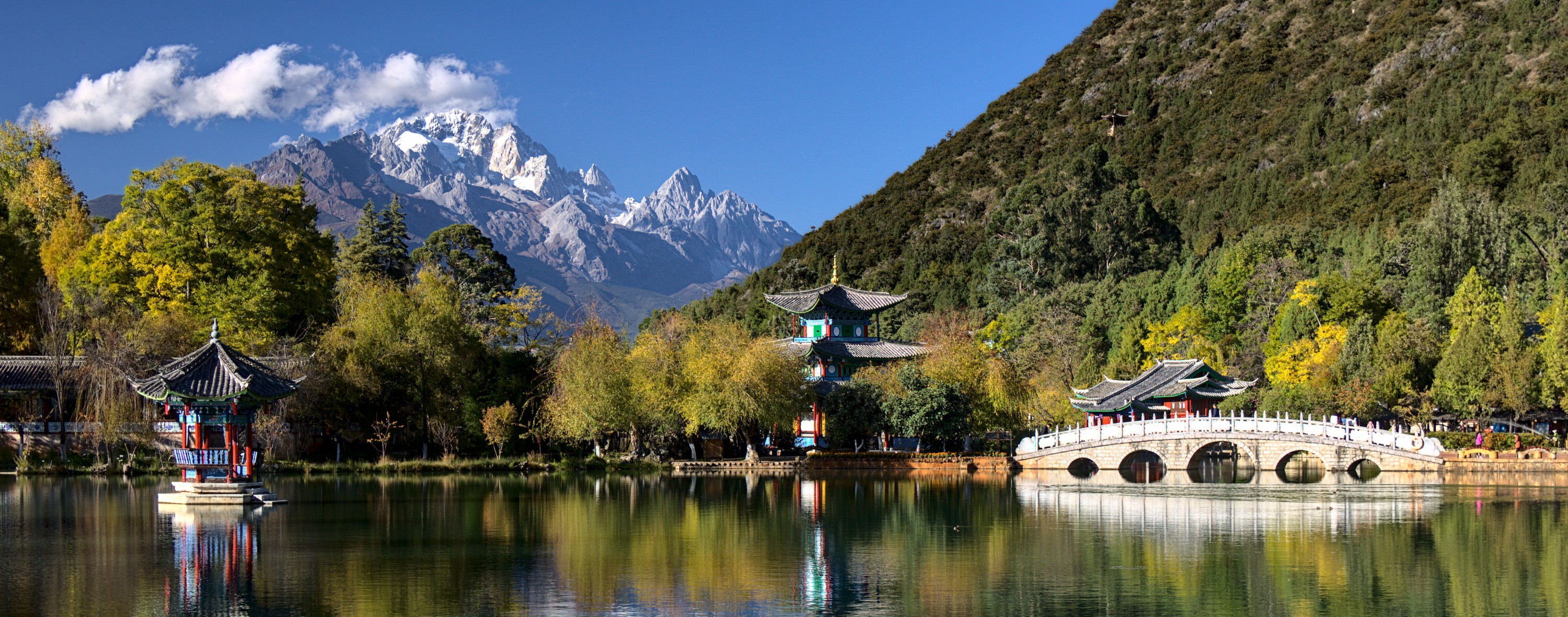 decoded previewJPEG q90 · 1.10 MB · 2.61 bpp
Your browser can't decode JPEG, this is a lossless copy of the decoded image.
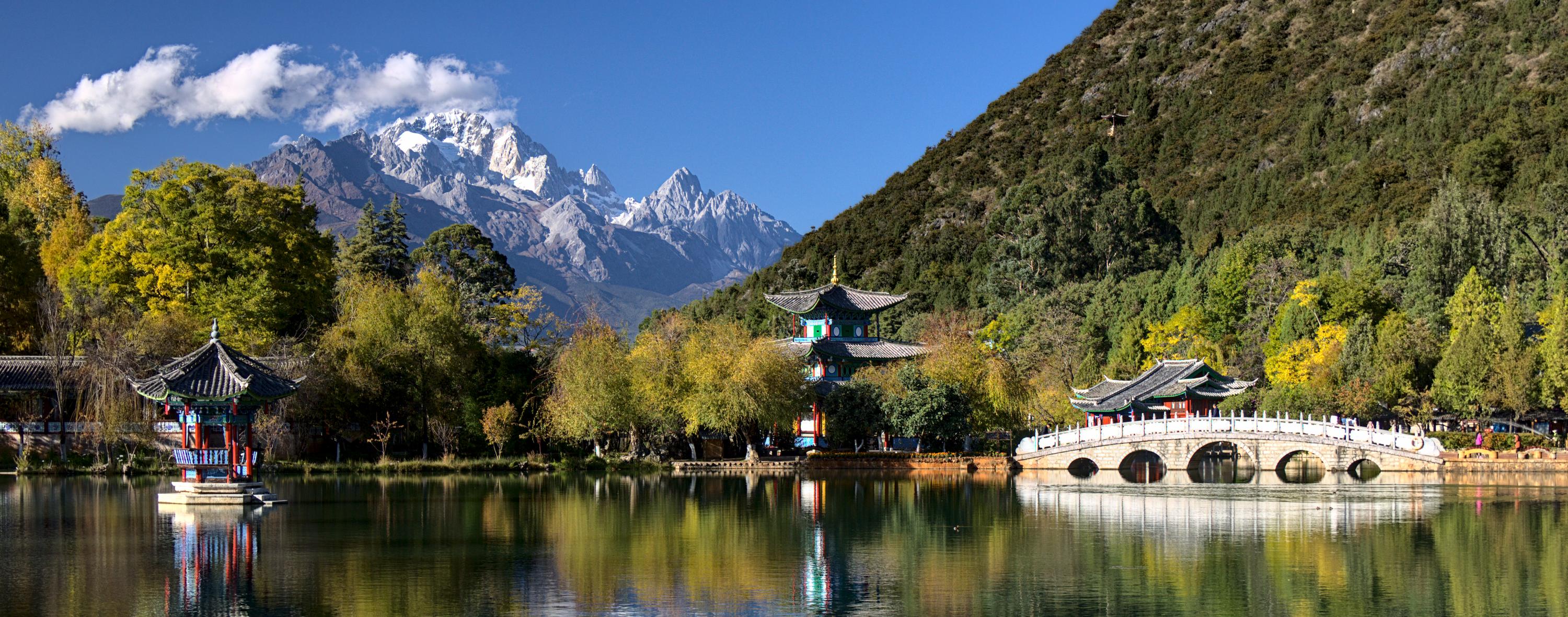 decoded previewJPEG q75 · 683 KB · 1.58 bpp
Your browser can't decode JPEG, this is a lossless copy of the decoded image.
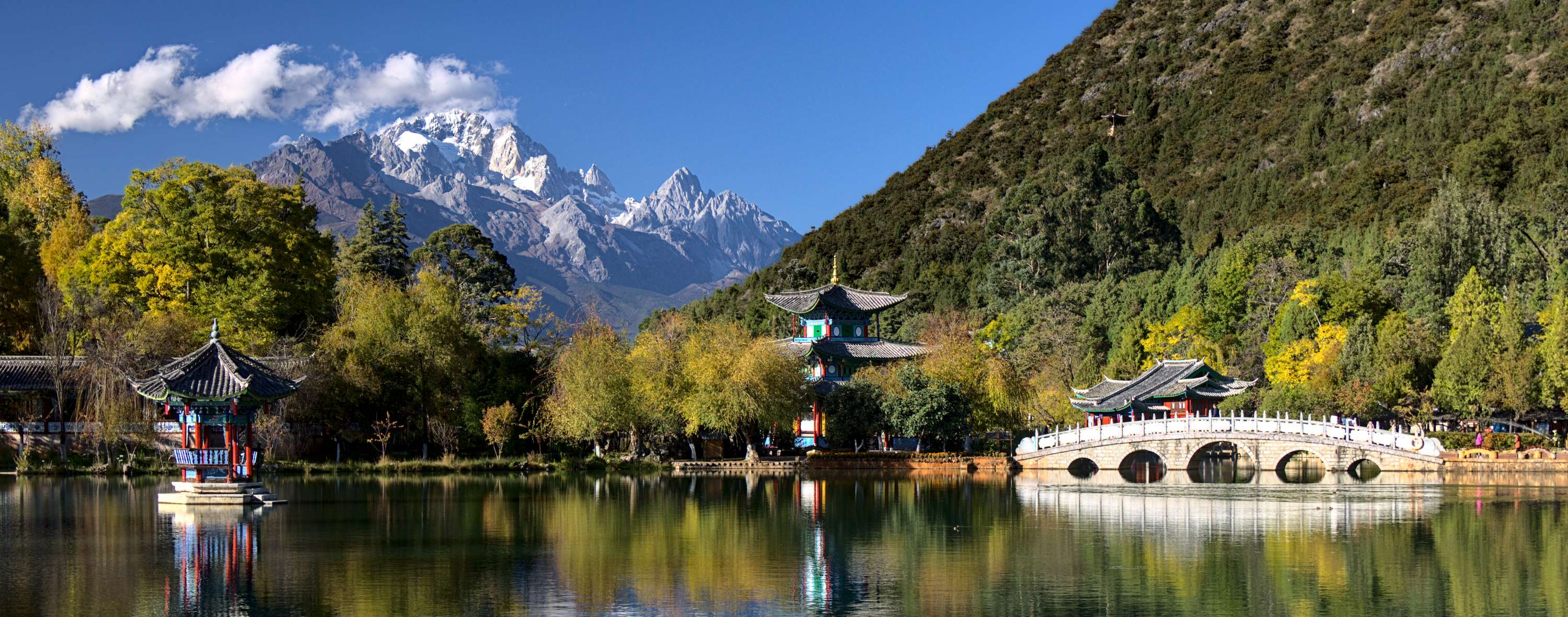 decoded previewJPEG q60 · 523 KB · 1.21 bpp
Your browser can't decode JPEG, this is a lossless copy of the decoded image.
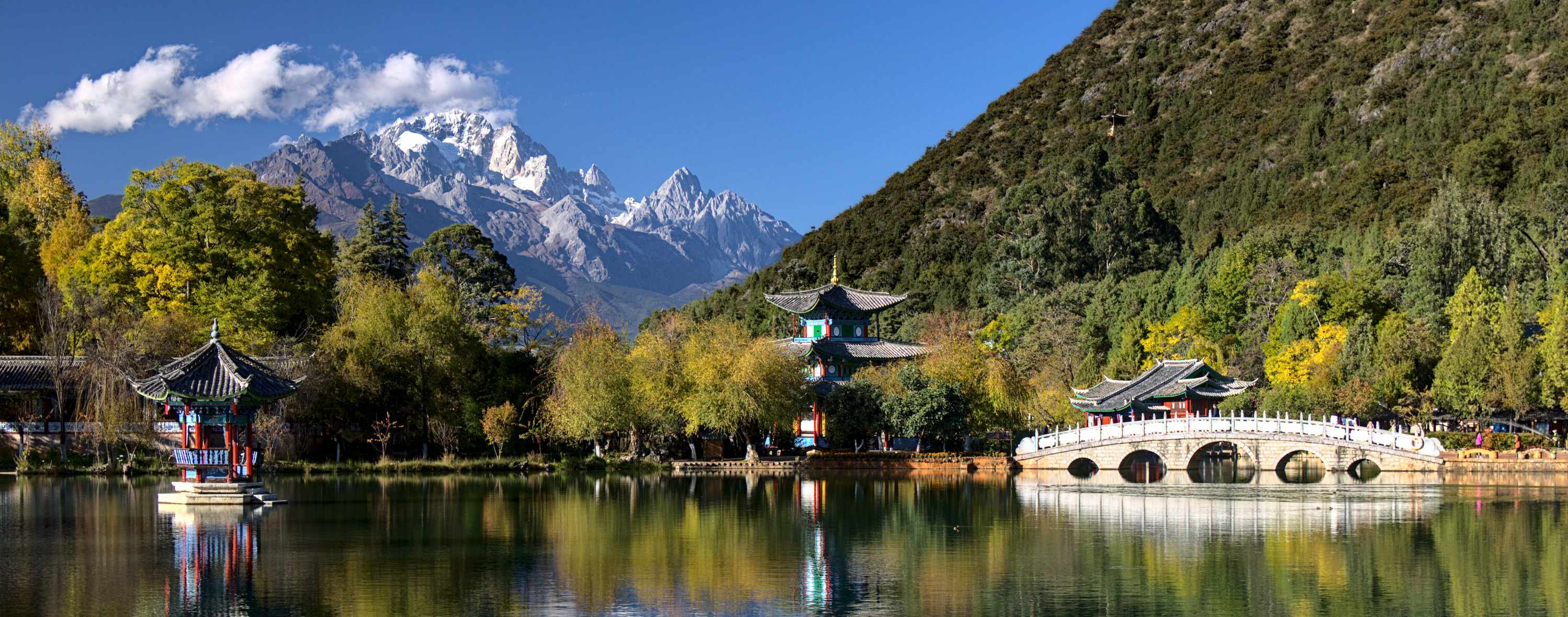 decoded previewJPEG q45 · 428 KB · 0.99 bpp
Your browser can't decode JPEG, this is a lossless copy of the decoded image.
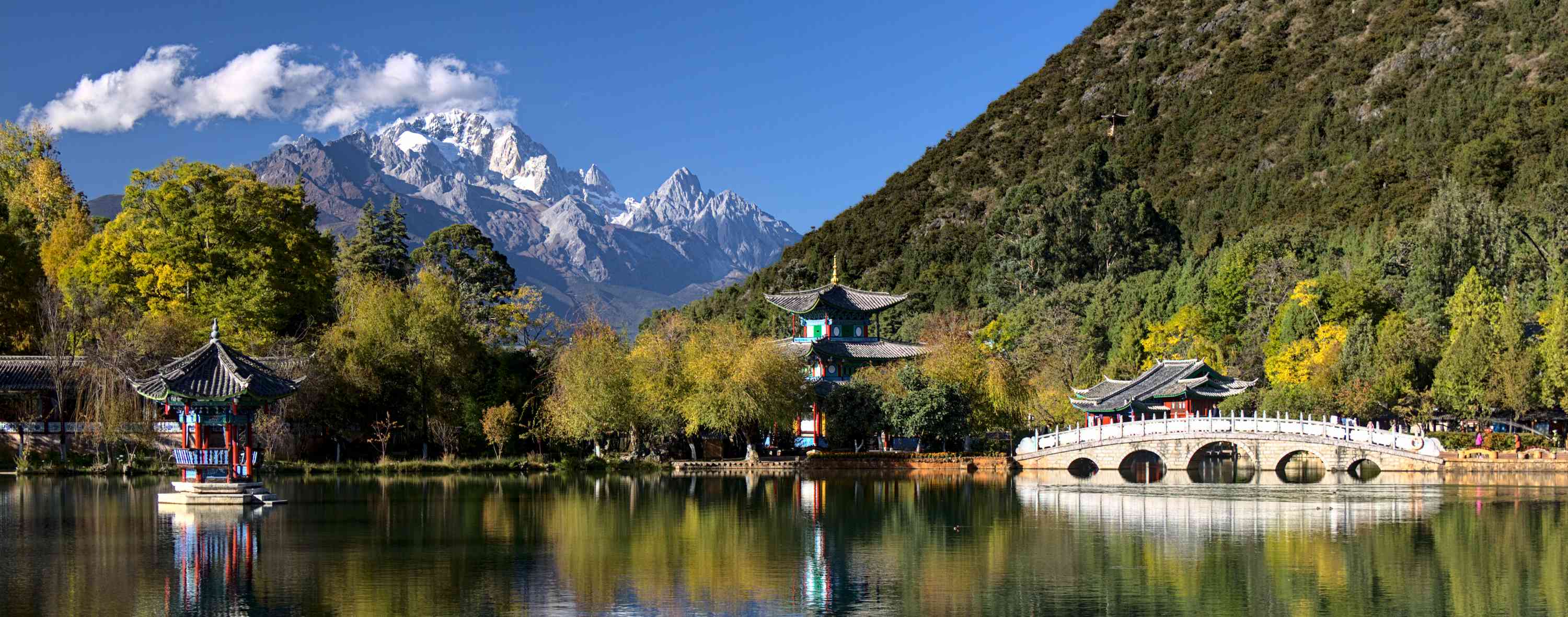 decoded previewJPEG q30 · 329 KB · 0.76 bpp
Your browser can't decode JPEG, this is a lossless copy of the decoded image.
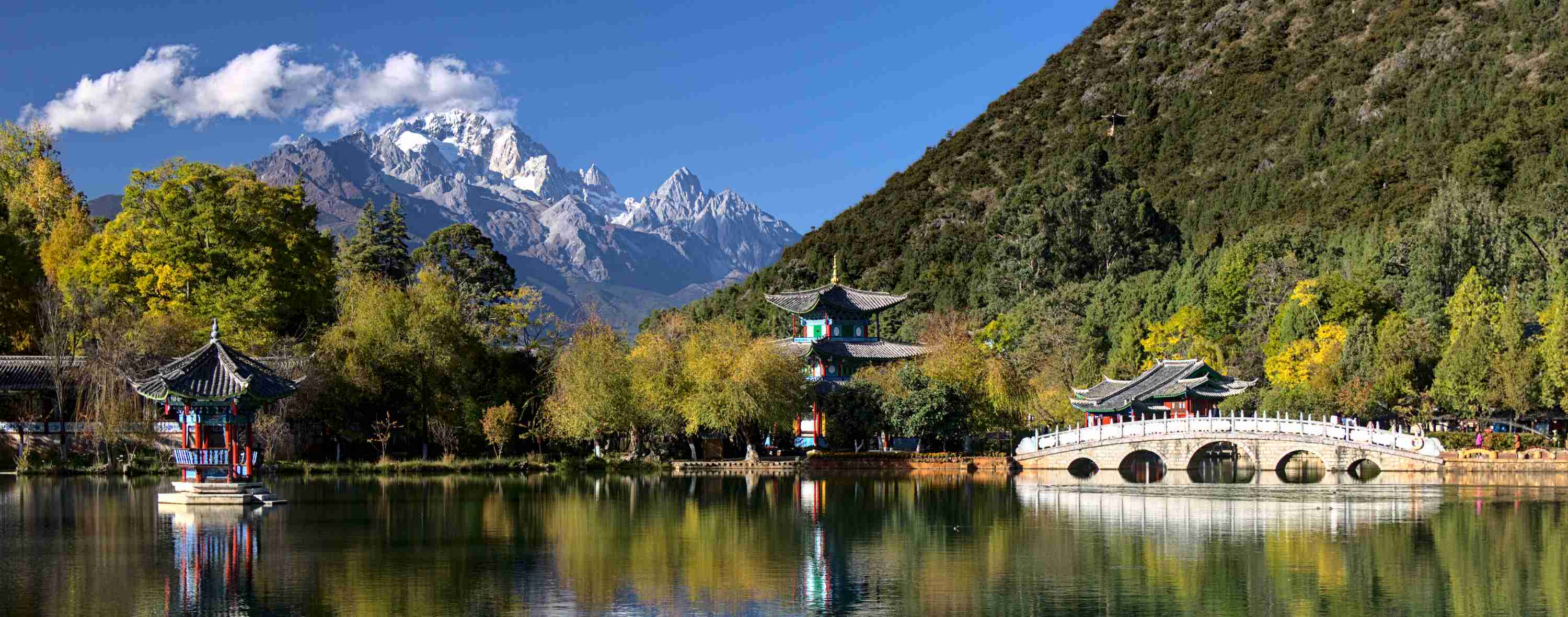 decoded previewJPEG q20 · 248 KB · 0.57 bpp
Your browser can't decode JPEG, this is a lossless copy of the decoded image.
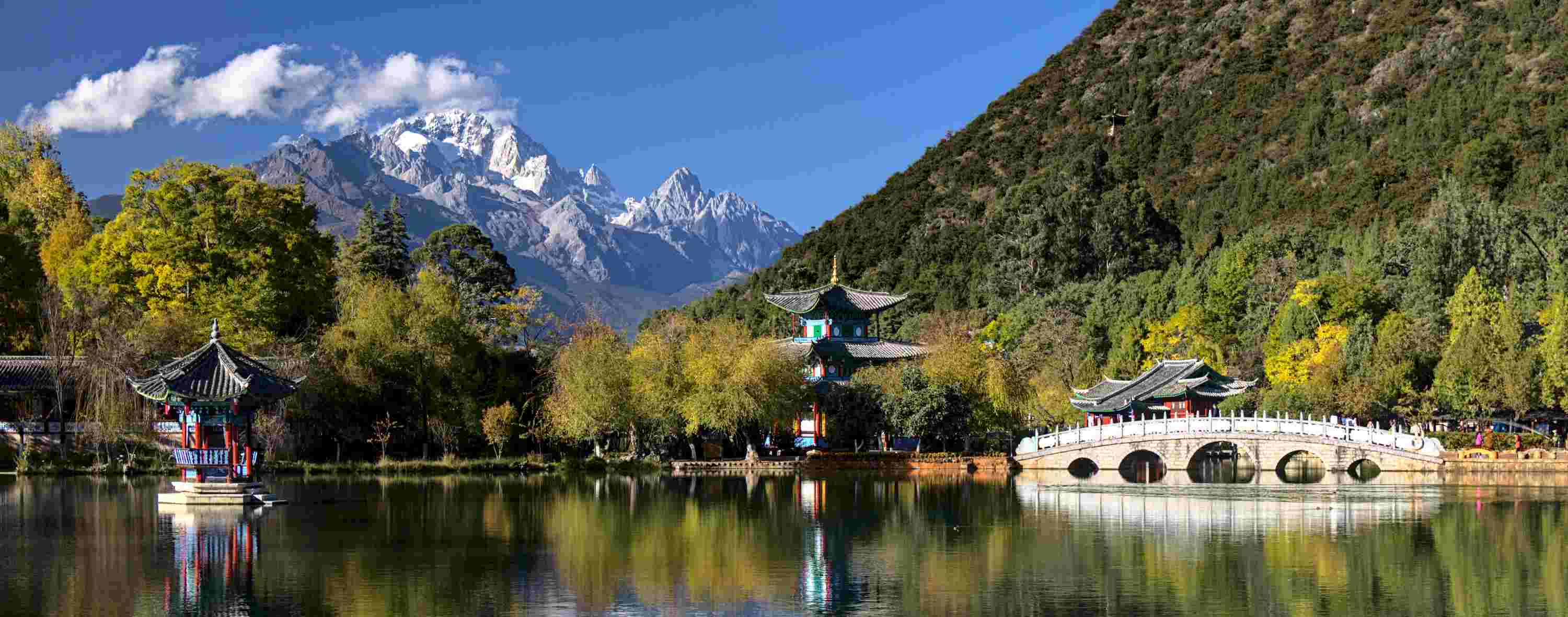 decoded previewJPEG q10 · 143 KB · 0.33 bpp
Your browser can't decode JPEG, this is a lossless copy of the decoded image.
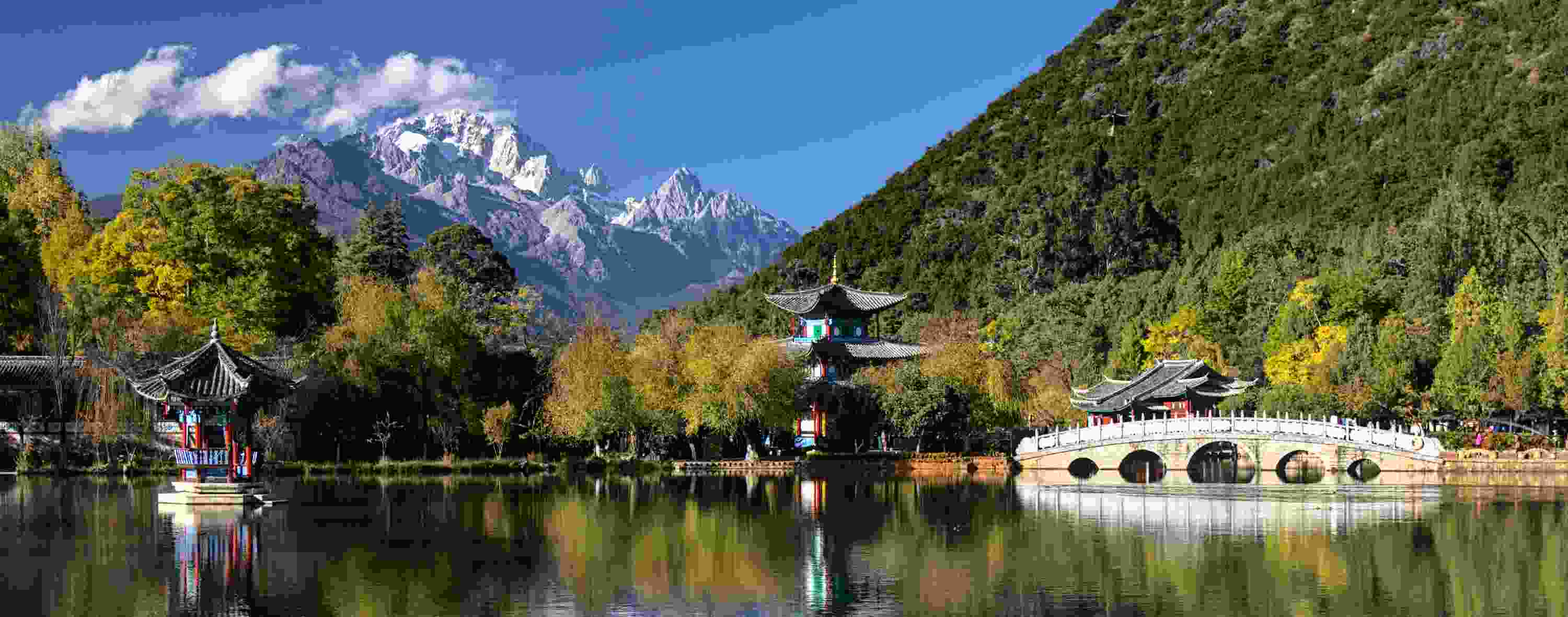 decoded previewJPEG q5 · 76 KB · 0.18 bpp
Your browser can't decode JPEG, this is a lossless copy of the decoded image.
WebP
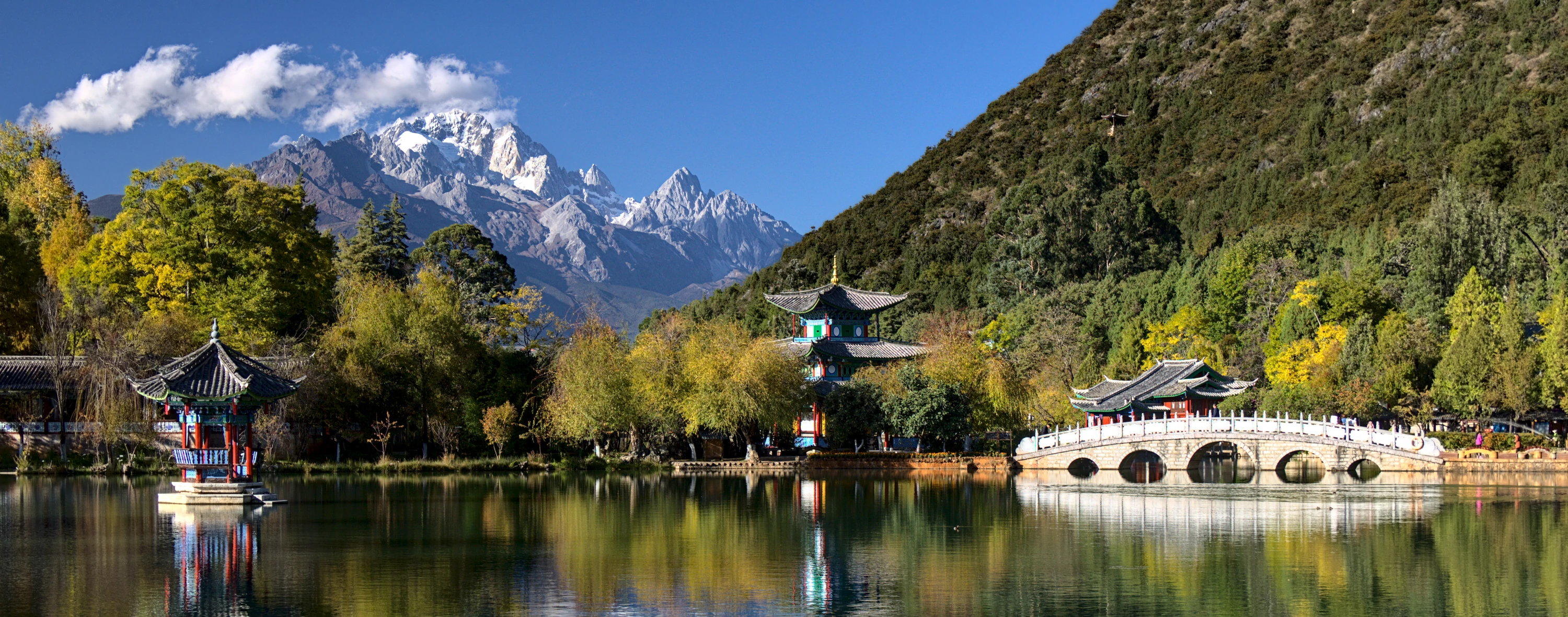 decoded previewWebP q90 · 1.13 MB · 2.68 bpp
Your browser can't decode WebP, this is a lossless copy of the decoded image.
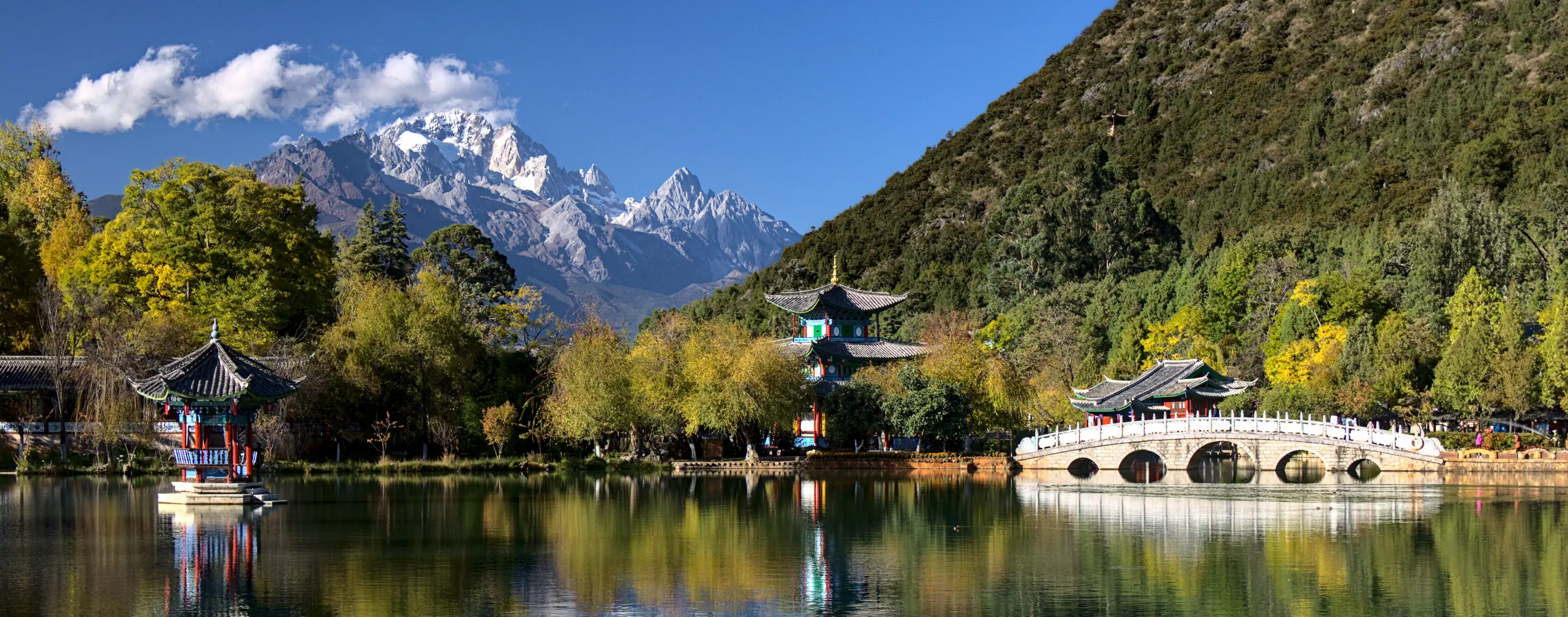 decoded previewWebP q75 · 556 KB · 1.29 bpp
Your browser can't decode WebP, this is a lossless copy of the decoded image.
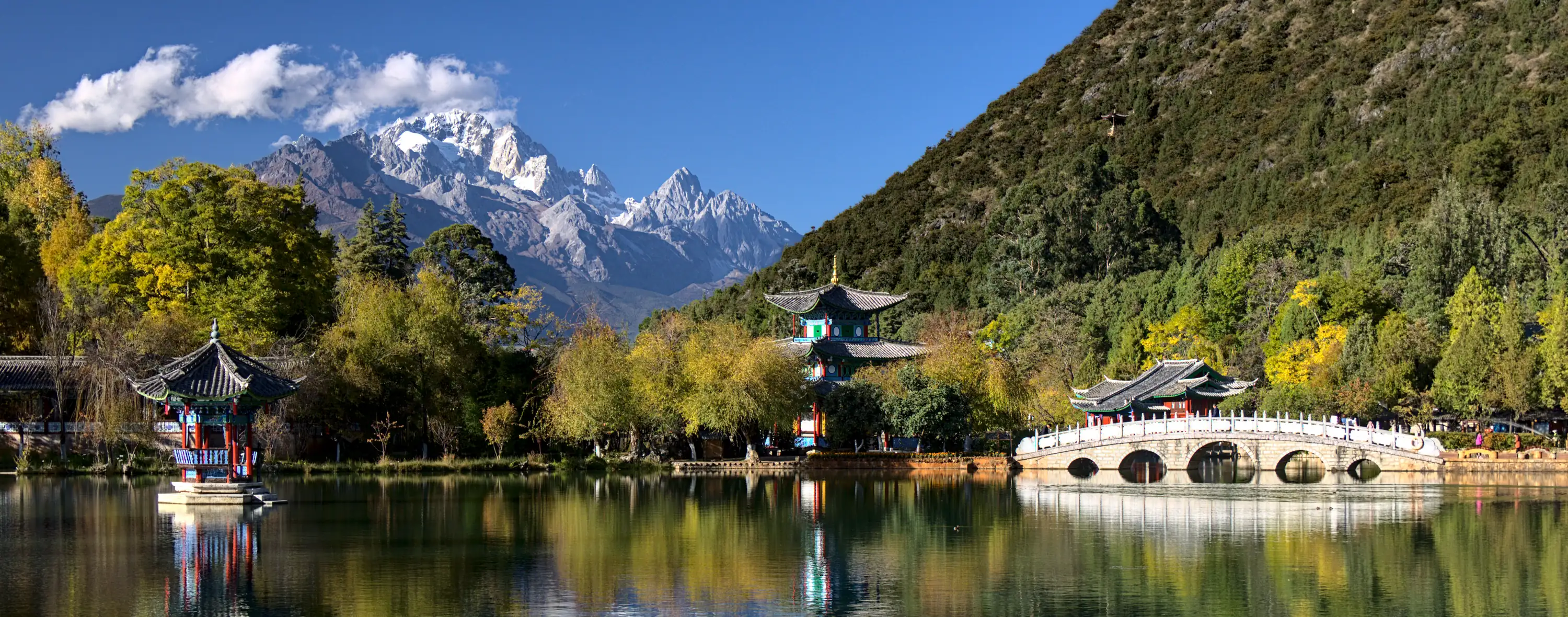 decoded previewWebP q60 · 458 KB · 1.06 bpp
Your browser can't decode WebP, this is a lossless copy of the decoded image.
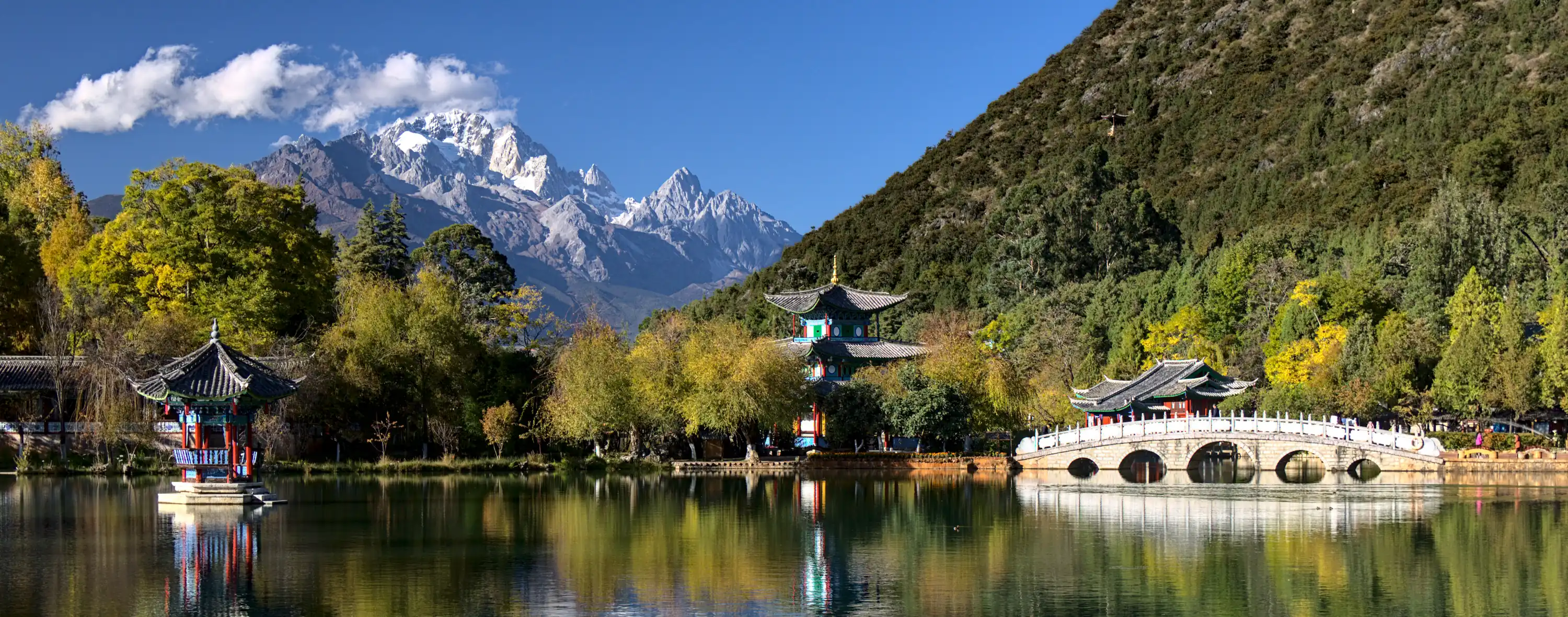 decoded previewWebP q45 · 373 KB · 0.86 bpp
Your browser can't decode WebP, this is a lossless copy of the decoded image.
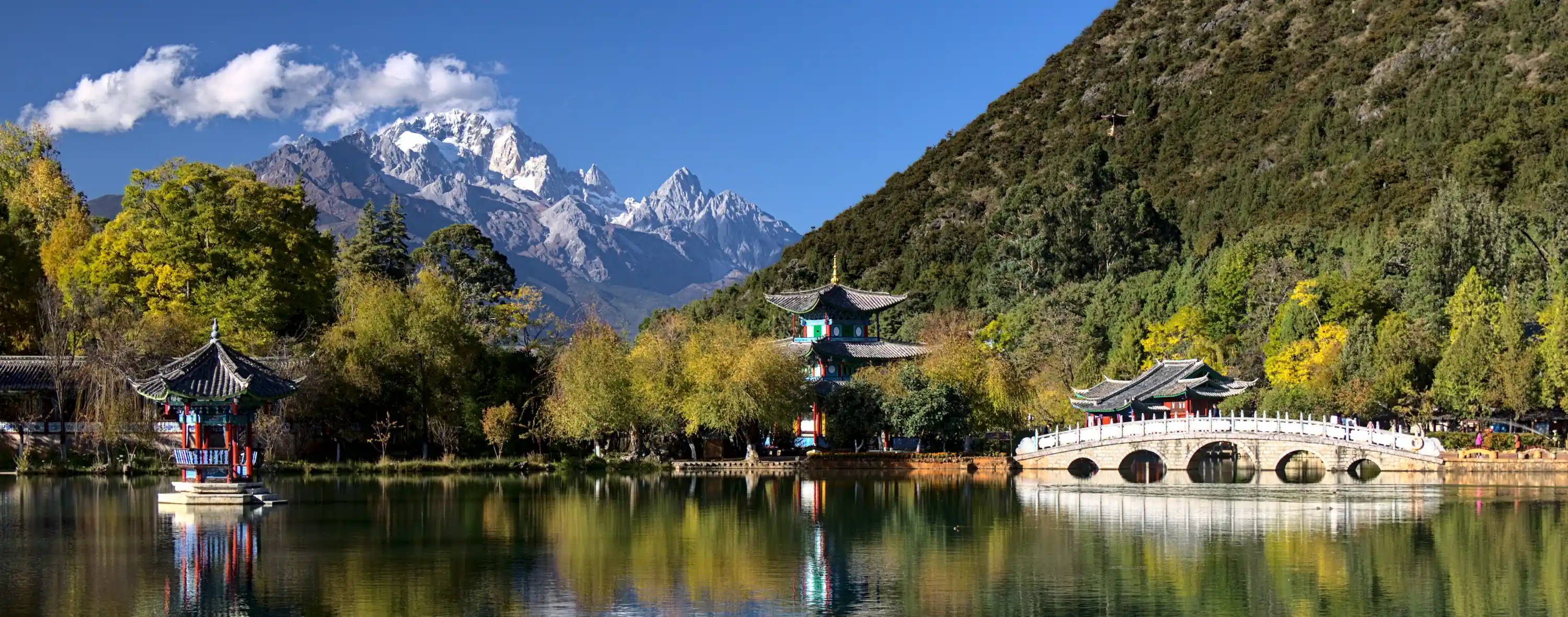 decoded previewWebP q30 · 280 KB · 0.65 bpp
Your browser can't decode WebP, this is a lossless copy of the decoded image.
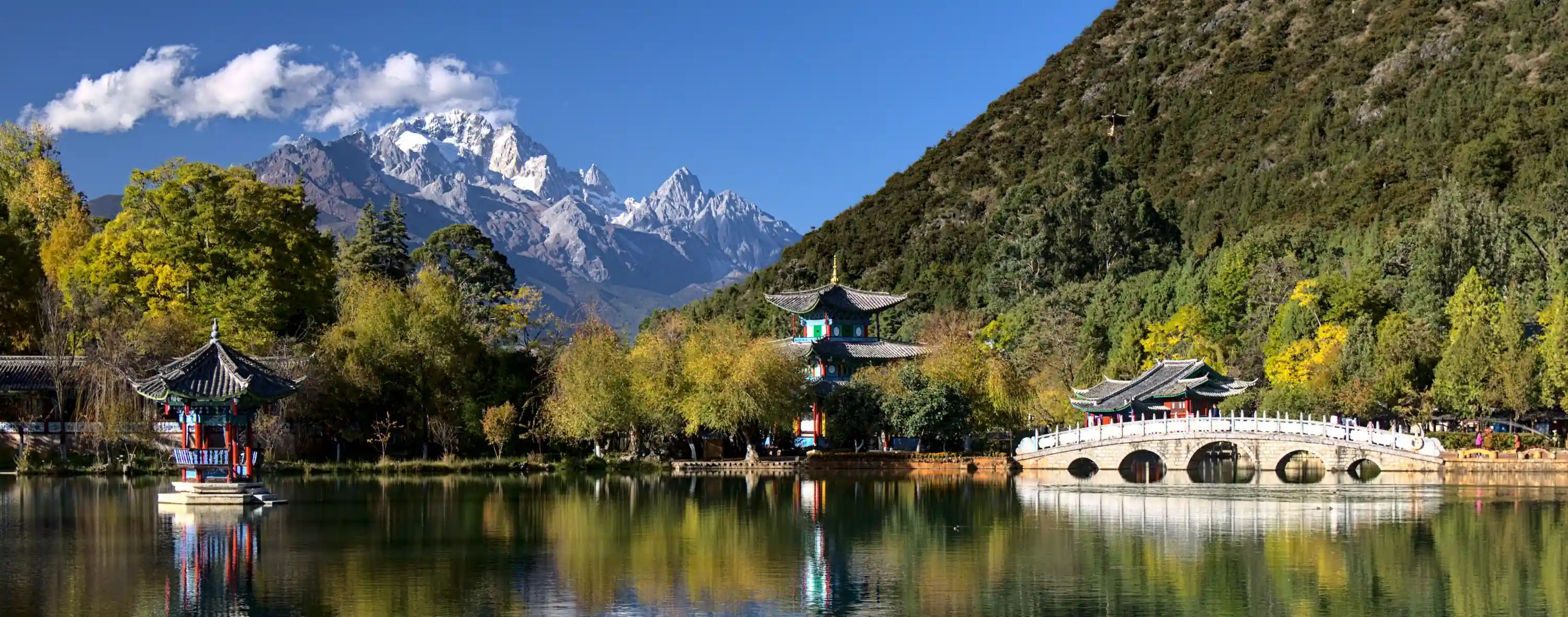 decoded previewWebP q20 · 222 KB · 0.51 bpp
Your browser can't decode WebP, this is a lossless copy of the decoded image.
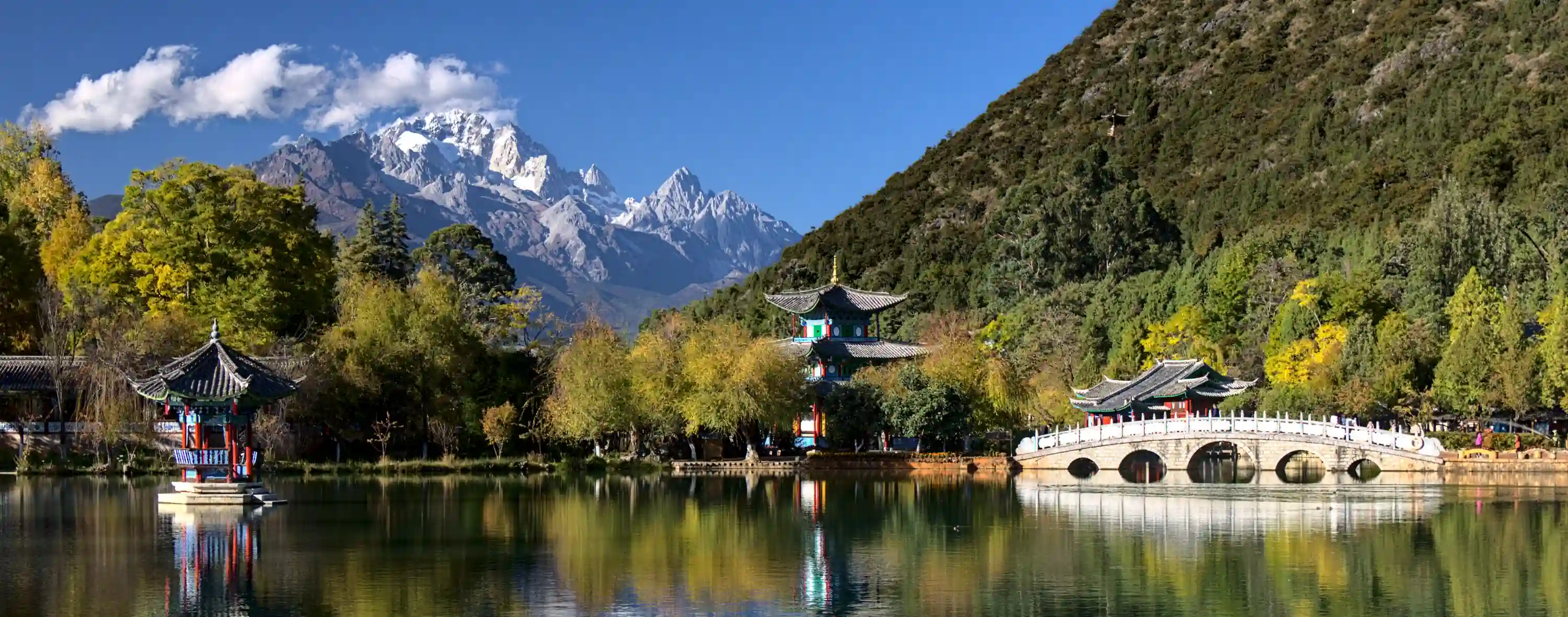 decoded previewWebP q10 · 163 KB · 0.38 bpp
Your browser can't decode WebP, this is a lossless copy of the decoded image.
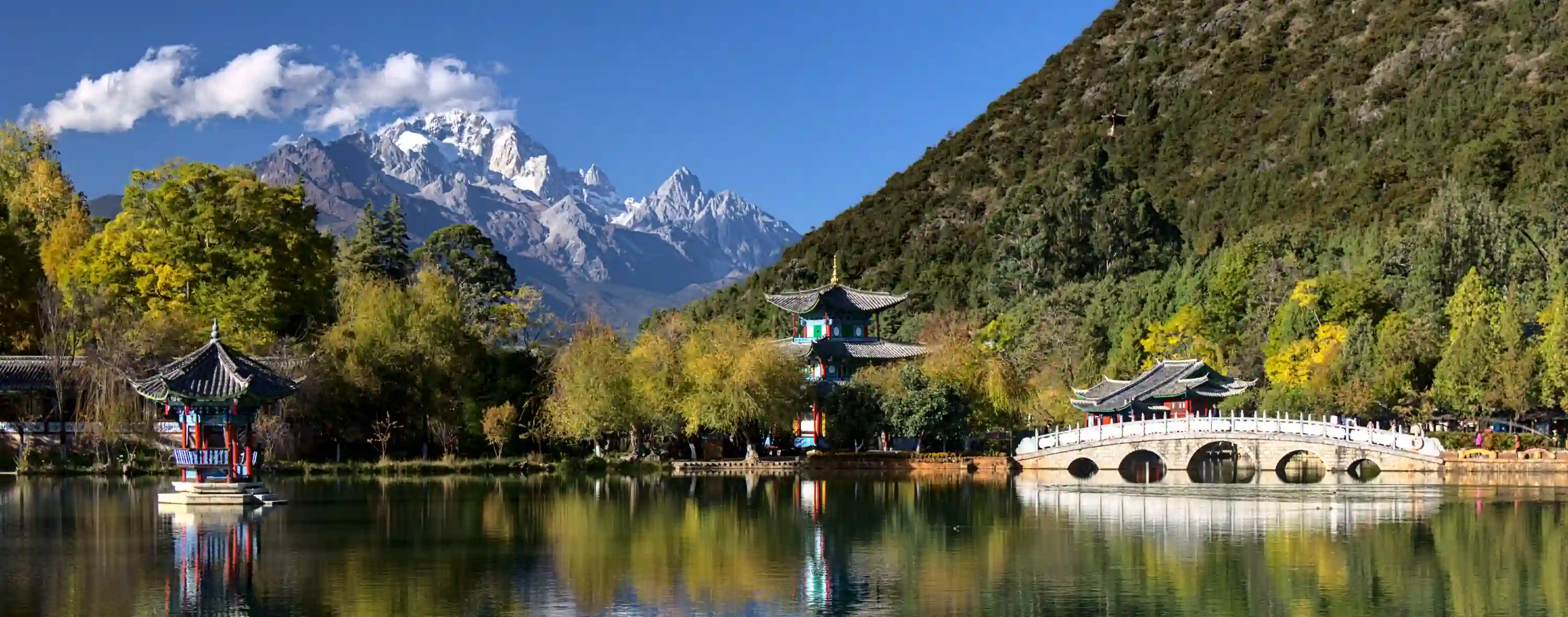 decoded previewWebP q5 · 128 KB · 0.30 bpp
Your browser can't decode WebP, this is a lossless copy of the decoded image.
AVIF
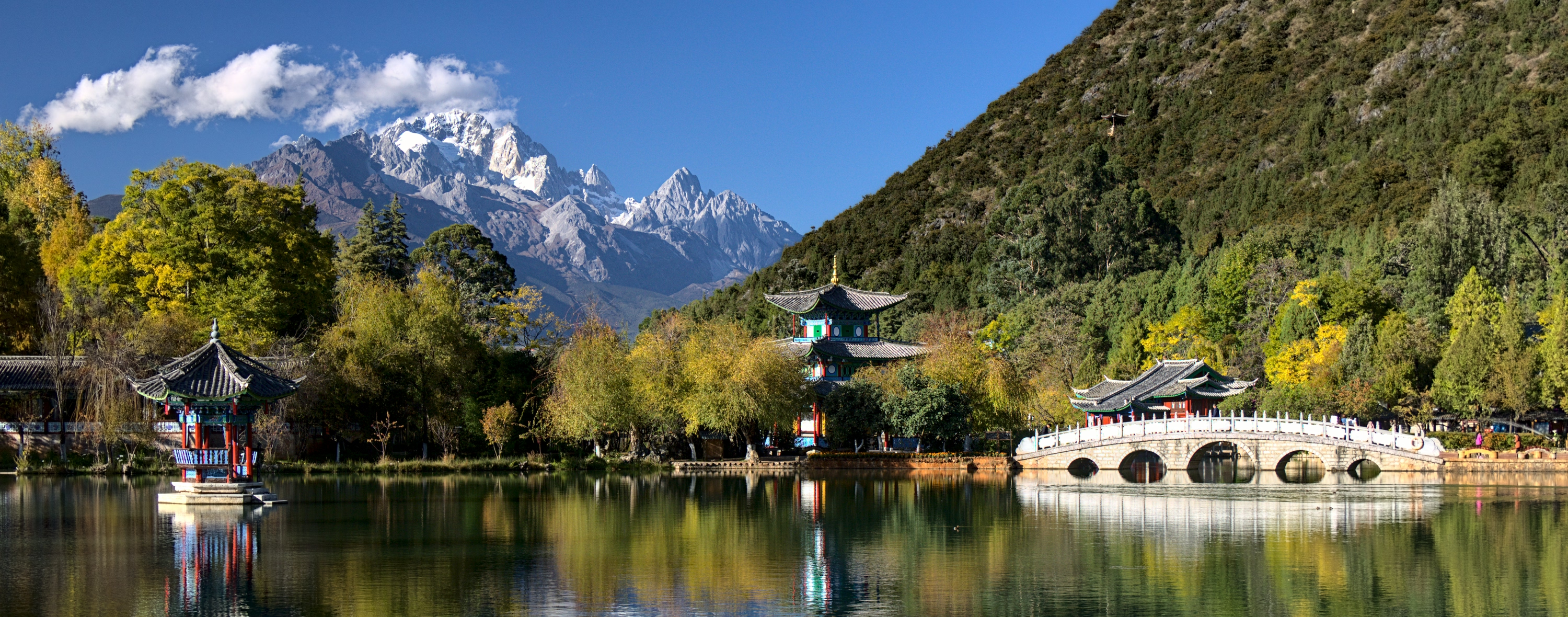 decoded previewAVIF q90 · 1.44 MB · 3.42 bpp
Your browser can't decode AVIF, this is a lossless copy of the decoded image.
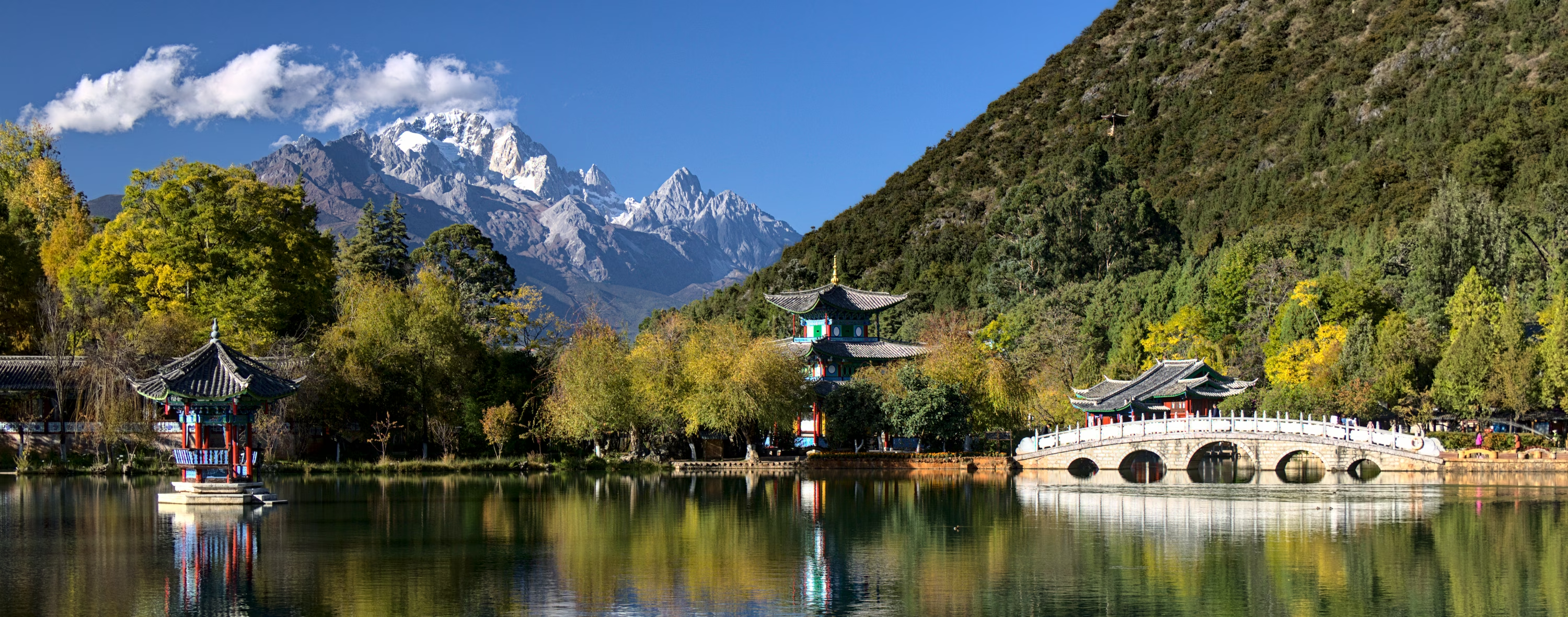 decoded previewAVIF q75 · 814 KB · 1.88 bpp
Your browser can't decode AVIF, this is a lossless copy of the decoded image.
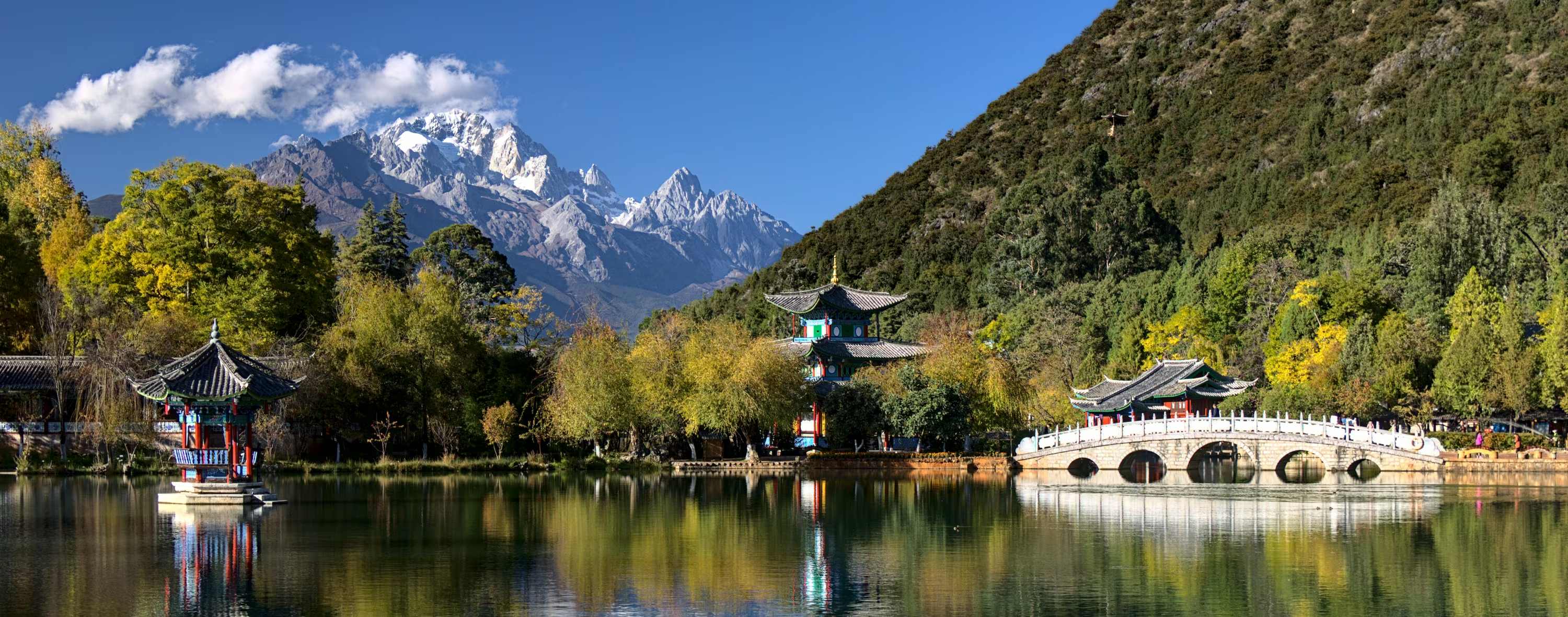 decoded previewAVIF q60 · 569 KB · 1.32 bpp
Your browser can't decode AVIF, this is a lossless copy of the decoded image.
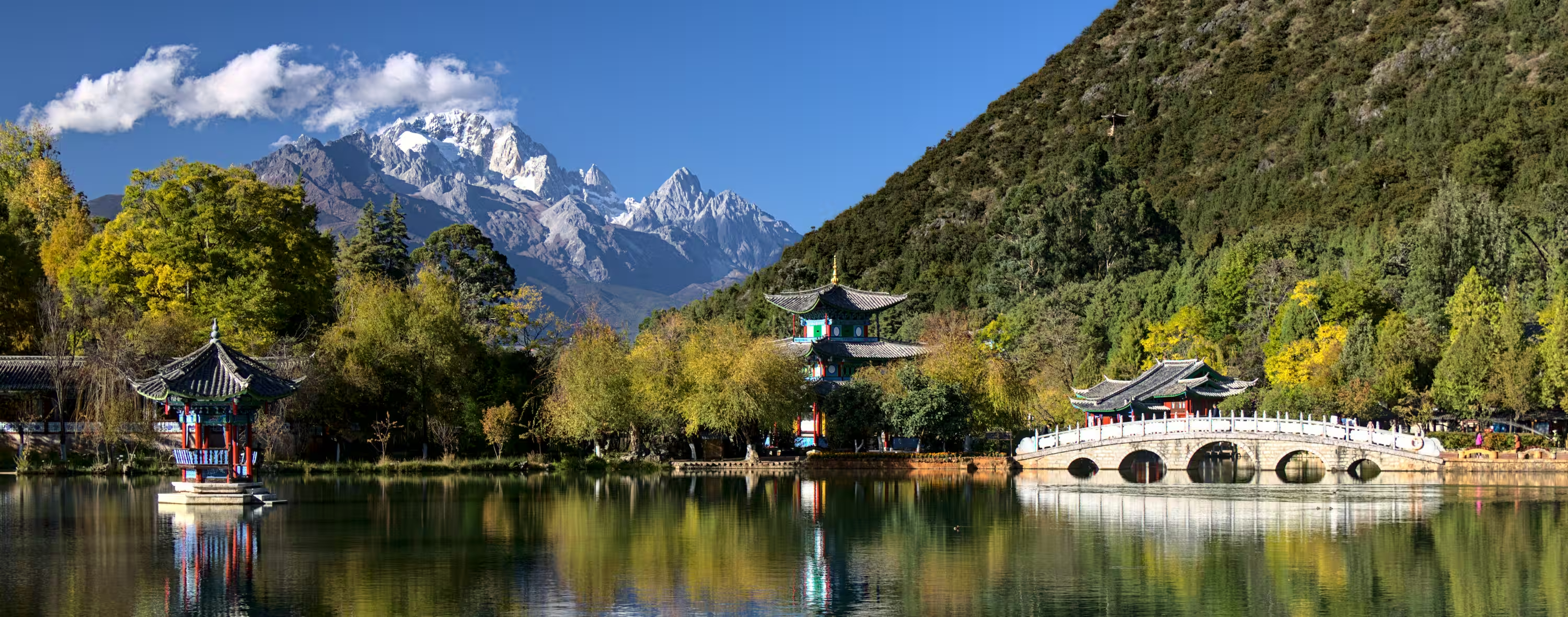 decoded previewAVIF q45 · 317 KB · 0.73 bpp
Your browser can't decode AVIF, this is a lossless copy of the decoded image.
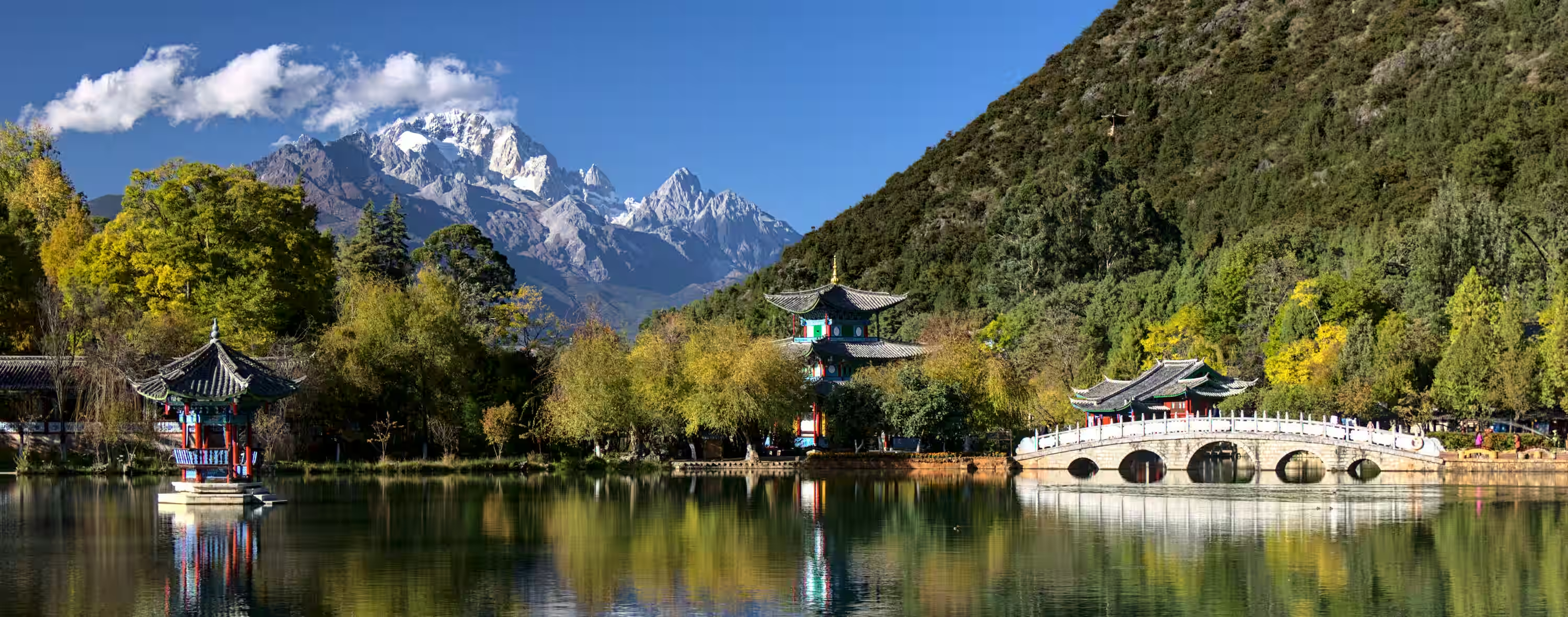 decoded previewAVIF q30 · 162 KB · 0.38 bpp
Your browser can't decode AVIF, this is a lossless copy of the decoded image.
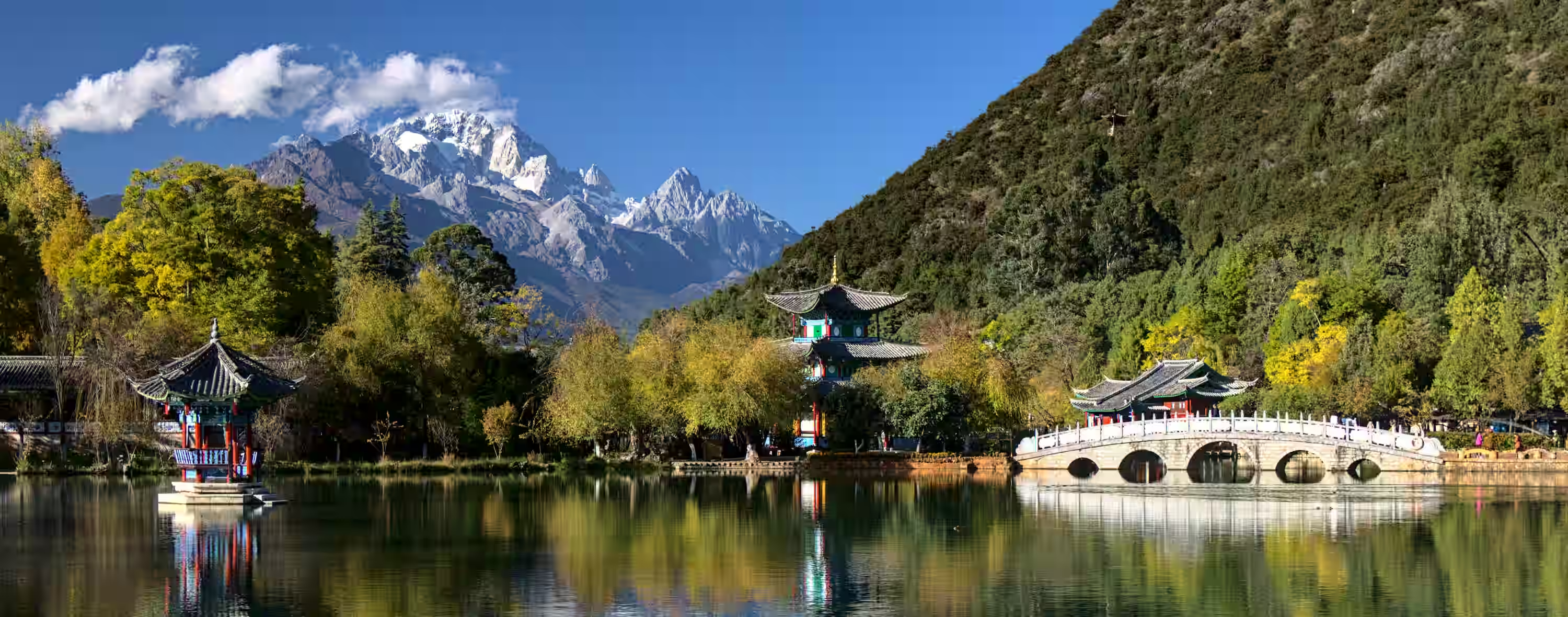 decoded previewAVIF q20 · 96 KB · 0.22 bpp
Your browser can't decode AVIF, this is a lossless copy of the decoded image.
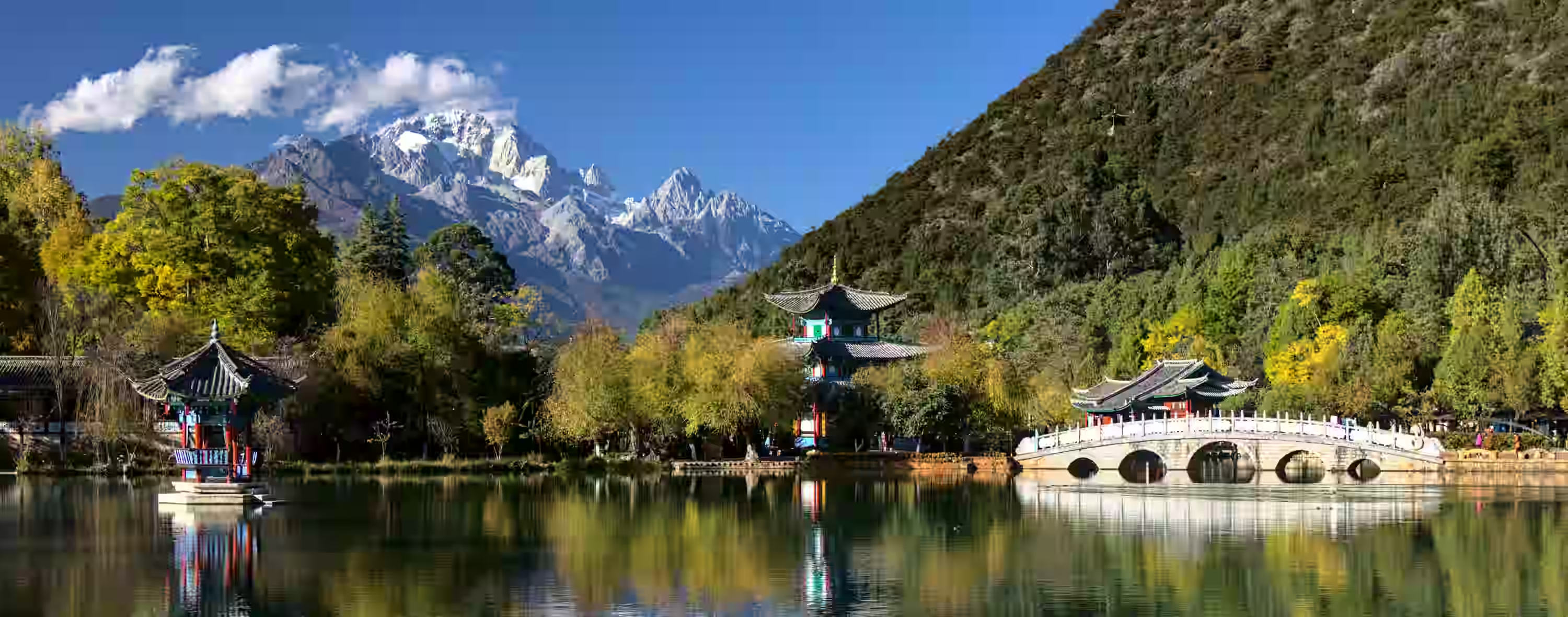 decoded previewAVIF q10 · 47 KB · 0.11 bpp
Your browser can't decode AVIF, this is a lossless copy of the decoded image.
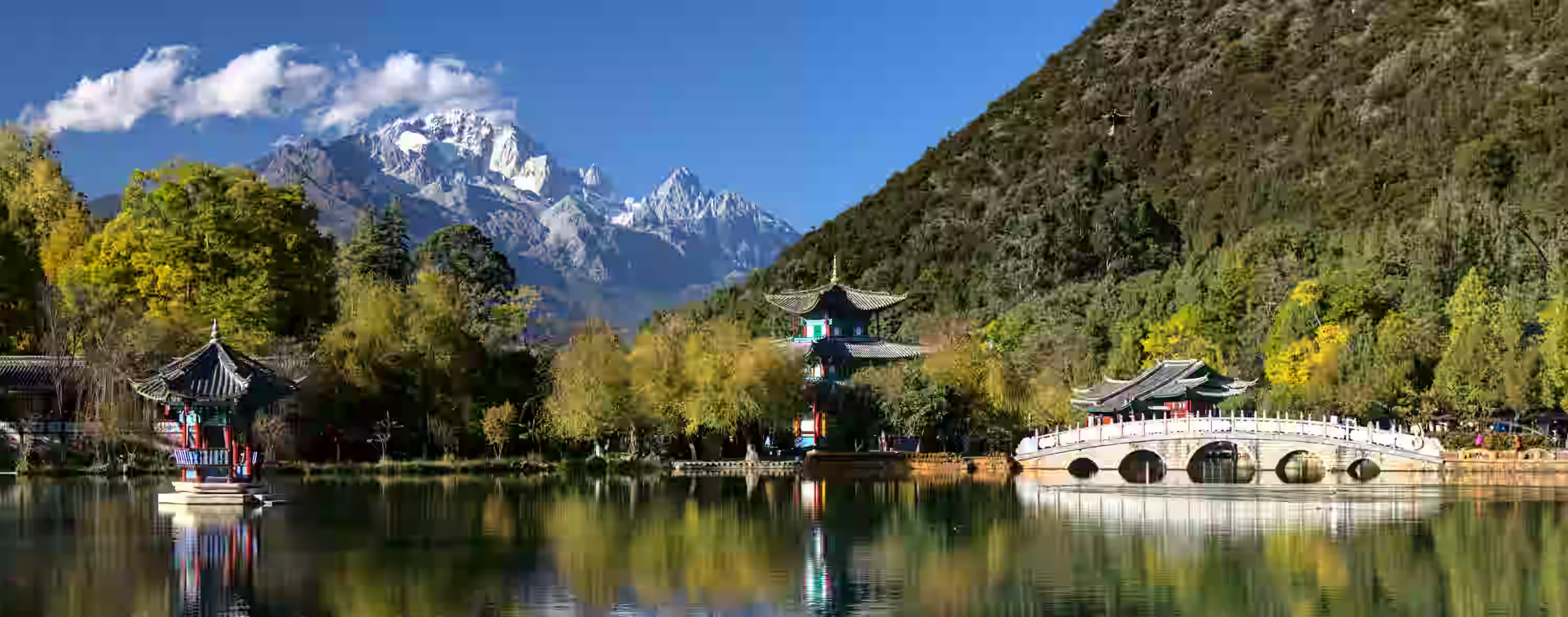 decoded previewAVIF q5 · 30 KB · 0.07 bpp
Your browser can't decode AVIF, this is a lossless copy of the decoded image.
JPEG XL
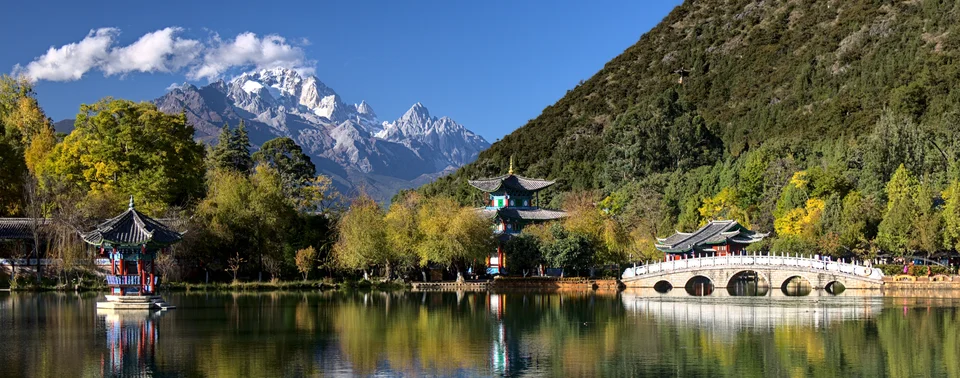 decoded previewJPEG XL q90 · 939 KB · 2.17 bpp
Your browser can't decode JPEG XL, this is a lossless copy of the decoded image.
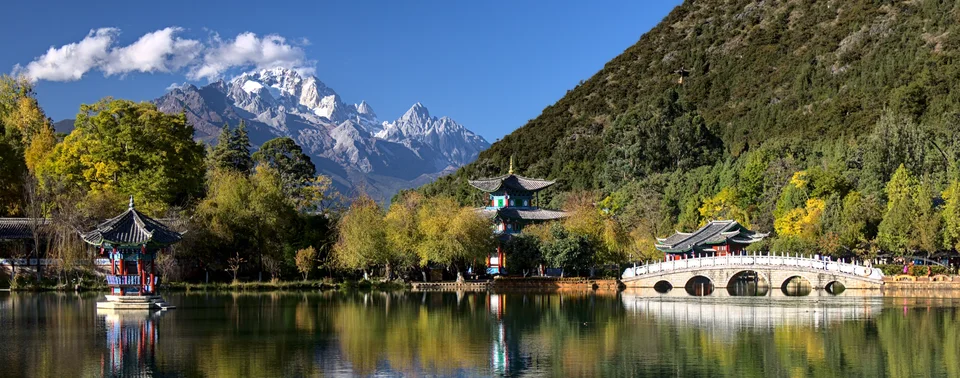 decoded previewJPEG XL q75 · 448 KB · 1.04 bpp
Your browser can't decode JPEG XL, this is a lossless copy of the decoded image.
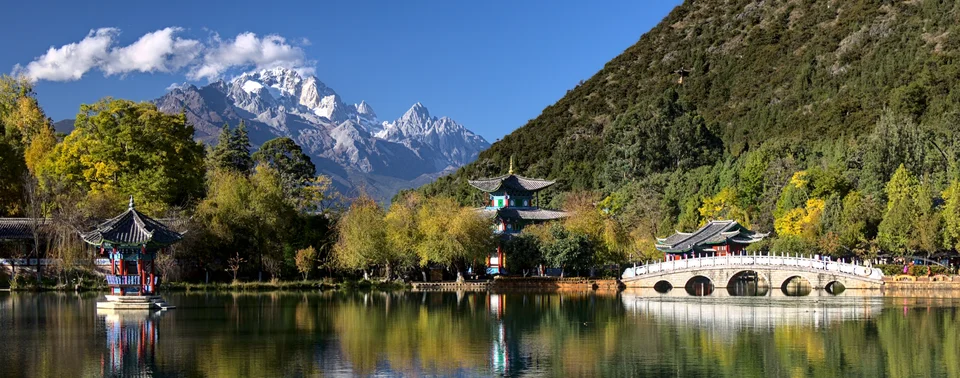 decoded previewJPEG XL q60 · 286 KB · 0.66 bpp
Your browser can't decode JPEG XL, this is a lossless copy of the decoded image.
 decoded previewJPEG XL q45 · 220 KB · 0.51 bpp
Your browser can't decode JPEG XL, this is a lossless copy of the decoded image.
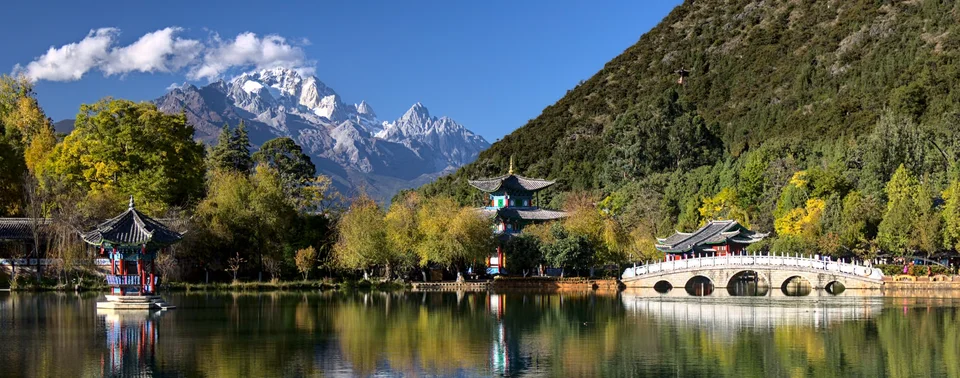 decoded previewJPEG XL q30 · 181 KB · 0.42 bpp
Your browser can't decode JPEG XL, this is a lossless copy of the decoded image.
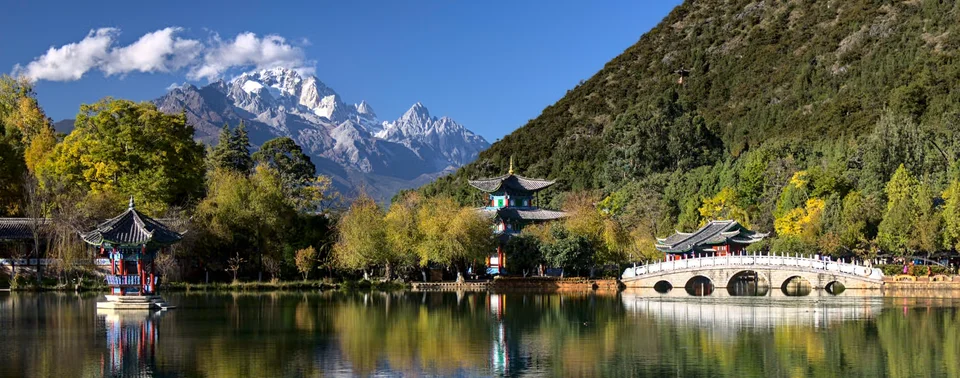 decoded previewJPEG XL q20 · 135 KB · 0.31 bpp
Your browser can't decode JPEG XL, this is a lossless copy of the decoded image.
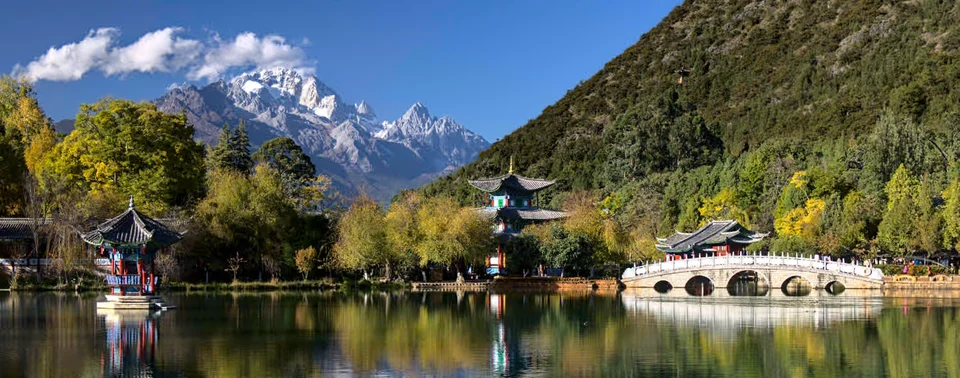 decoded previewJPEG XL q10 · 83 KB · 0.19 bpp
Your browser can't decode JPEG XL, this is a lossless copy of the decoded image.
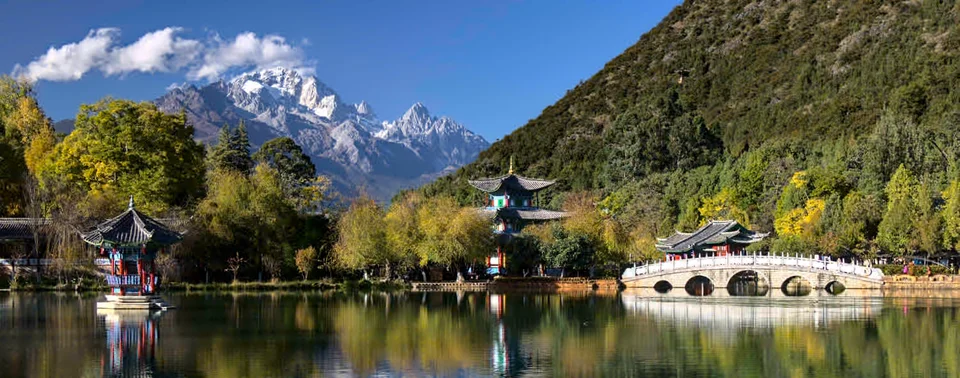 decoded previewJPEG XL q5 · 68 KB · 0.16 bpp
Your browser can't decode JPEG XL, this is a lossless copy of the decoded image.
HEIC
 decoded previewHEIC q90 · 2.80 MB · 6.64 bpp
Your browser can't decode HEIC, this is a lossless copy of the decoded image.
 decoded previewHEIC q75 · 2.00 MB · 4.73 bpp
Your browser can't decode HEIC, this is a lossless copy of the decoded image.
 decoded previewHEIC q60 · 1.09 MB · 2.59 bpp
Your browser can't decode HEIC, this is a lossless copy of the decoded image.
 decoded previewHEIC q45 · 544 KB · 1.26 bpp
Your browser can't decode HEIC, this is a lossless copy of the decoded image.
 decoded previewHEIC q30 · 209 KB · 0.48 bpp
Your browser can't decode HEIC, this is a lossless copy of the decoded image.
 decoded previewHEIC q20 · 99 KB · 0.23 bpp
Your browser can't decode HEIC, this is a lossless copy of the decoded image.
 decoded previewHEIC q10 · 40 KB · 0.09 bpp
Your browser can't decode HEIC, this is a lossless copy of the decoded image.
 decoded previewHEIC q5 · 28 KB · 0.06 bpp
Your browser can't decode HEIC, this is a lossless copy of the decoded image.
JPEG 2000
 decoded previewJPEG 2000 1:10 · 1.01 MB · 2.40 bpp
Your browser can't decode JPEG 2000, this is a lossless copy of the decoded image.
 decoded previewJPEG 2000 1:20 · 518 KB · 1.20 bpp
Your browser can't decode JPEG 2000, this is a lossless copy of the decoded image.
 decoded previewJPEG 2000 1:40 · 259 KB · 0.60 bpp
Your browser can't decode JPEG 2000, this is a lossless copy of the decoded image.
 decoded previewJPEG 2000 1:80 · 129 KB · 0.30 bpp
Your browser can't decode JPEG 2000, this is a lossless copy of the decoded image.
 decoded previewJPEG 2000 1:160 · 65 KB · 0.15 bpp
Your browser can't decode JPEG 2000, this is a lossless copy of the decoded image.
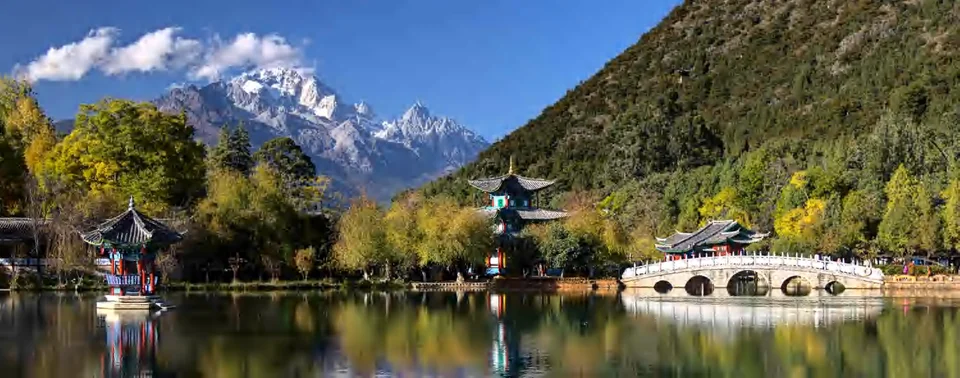 decoded previewJPEG 2000 1:320 · 32 KB · 0.07 bpp
Your browser can't decode JPEG 2000, this is a lossless copy of the decoded image.
 decoded previewJPEG 2000 1:640 · 16 KB · 0.04 bpp
Your browser can't decode JPEG 2000, this is a lossless copy of the decoded image.
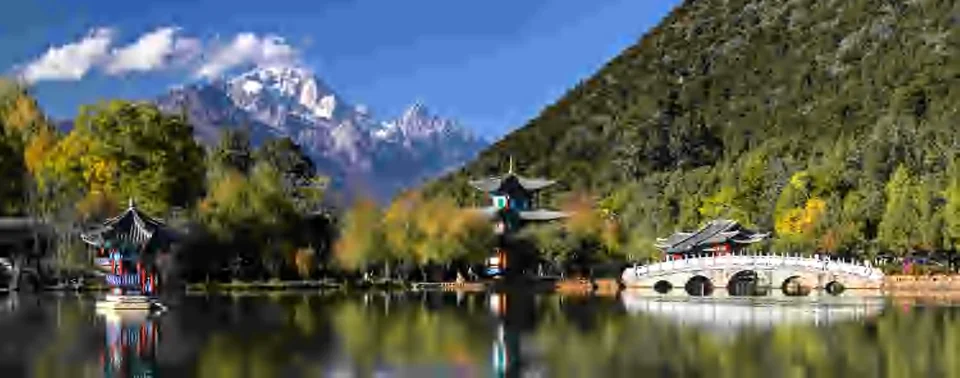 decoded previewJPEG 2000 1:1280 · 8 KB · 0.02 bpp
Your browser can't decode JPEG 2000, this is a lossless copy of the decoded image.
Lossless
Lossless means pixel perfect. So here the only interesting thing is the file size.
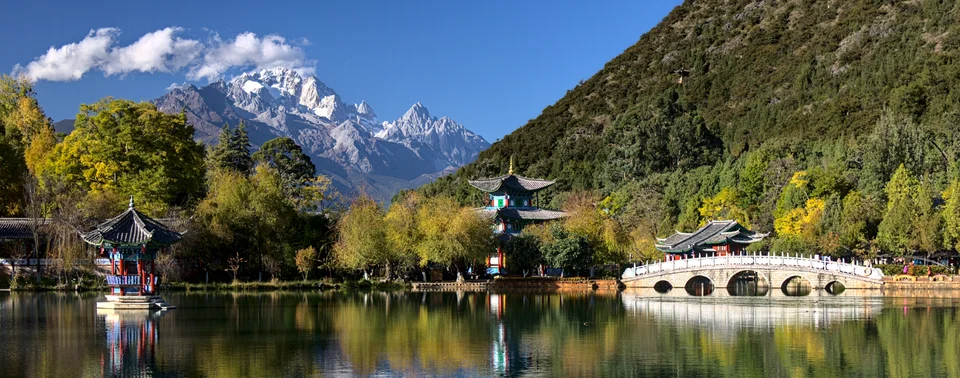 decoded previewJPEG XL lossless · 5.05 MB · 11.96 bpp
Your browser can't decode JPEG XL, this is a lossless copy of the decoded image.
decoded previewJPEG 2000 lossless · 5.25 MB · 12.44 bppYour browser can't decode JPEG 2000, this is a lossless copy of the decoded image.
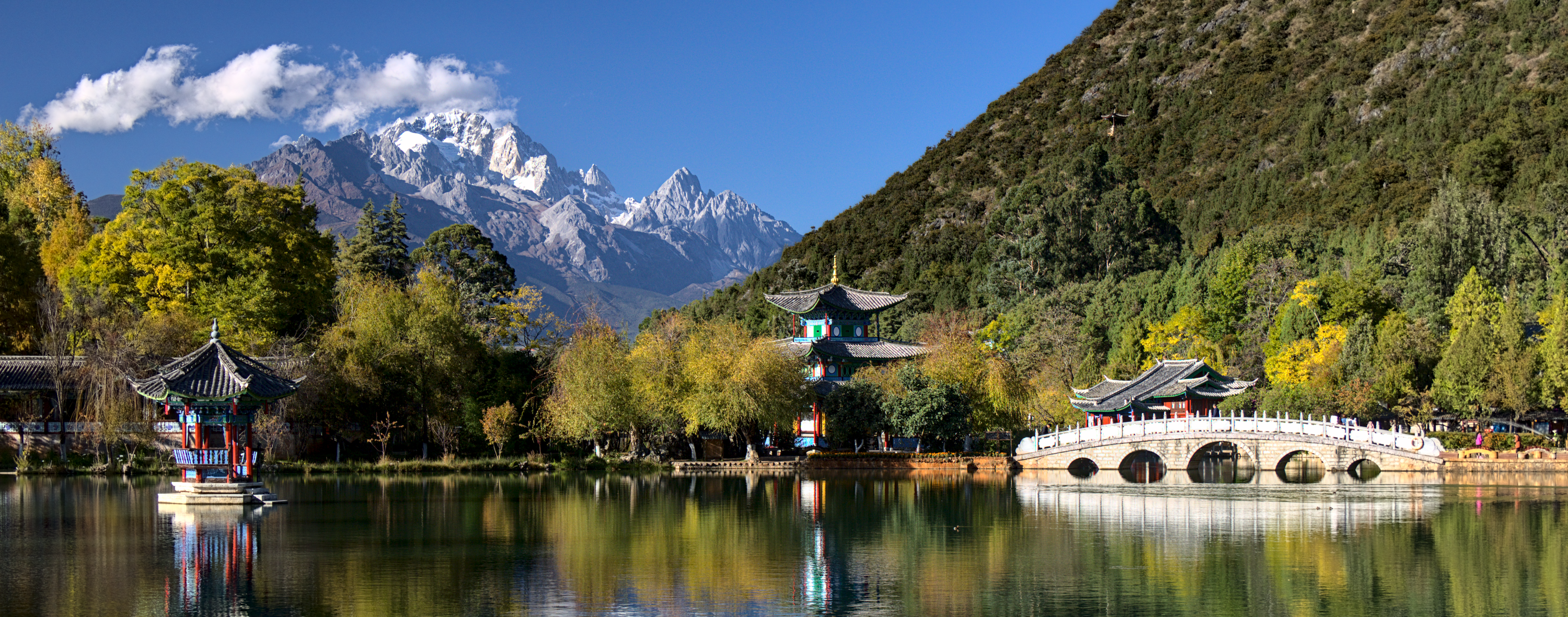 decoded previewWebP lossless · 5.30 MB · 12.55 bpp
Your browser can't decode WebP, this is a lossless copy of the decoded image.
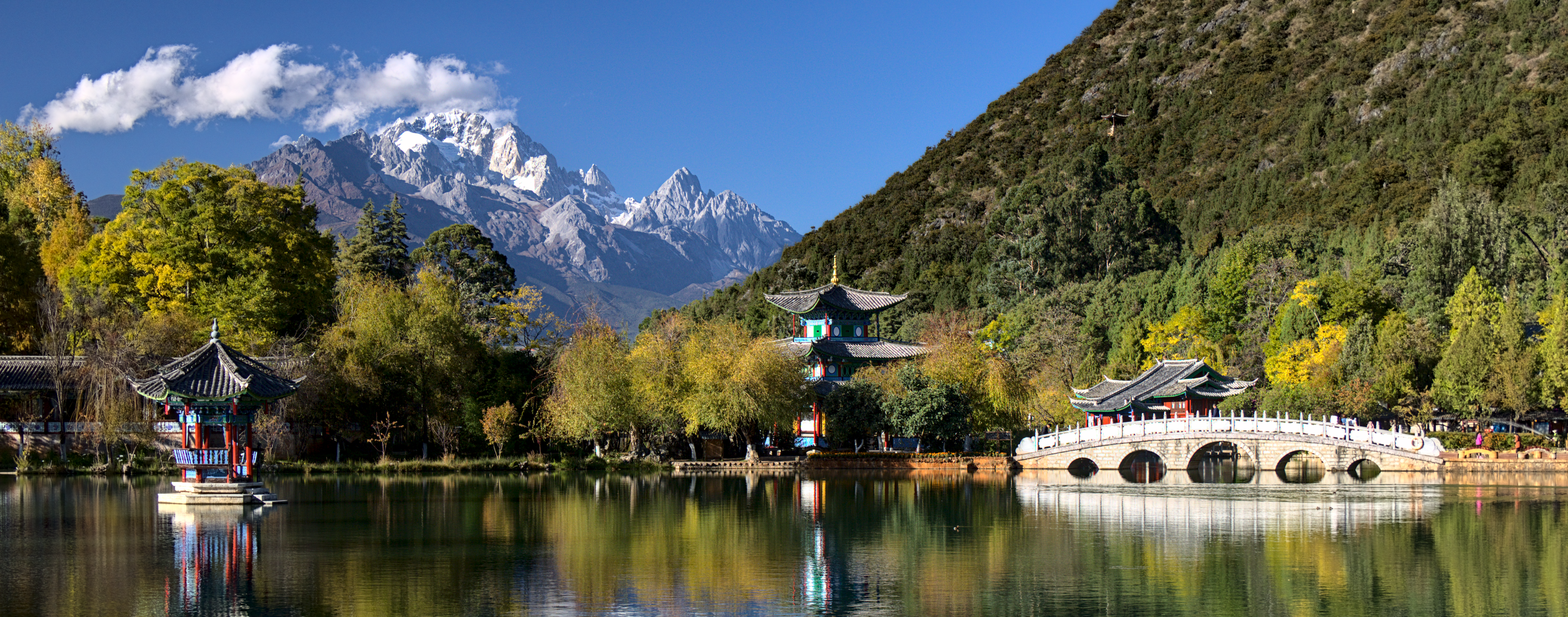 decoded previewPNG lossless · 6.53 MB · 15.47 bpp
Your browser can't decode PNG, this is a lossless copy of the decoded image.
 decoded previewAVIF lossless · 6.78 MB · 16.07 bpp
Your browser can't decode AVIF, this is a lossless copy of the decoded image.
 decoded previewHEIC lossless · 7.03 MB · 16.65 bpp
Your browser can't decode HEIC, this is a lossless copy of the decoded image.